Current Design Limitations
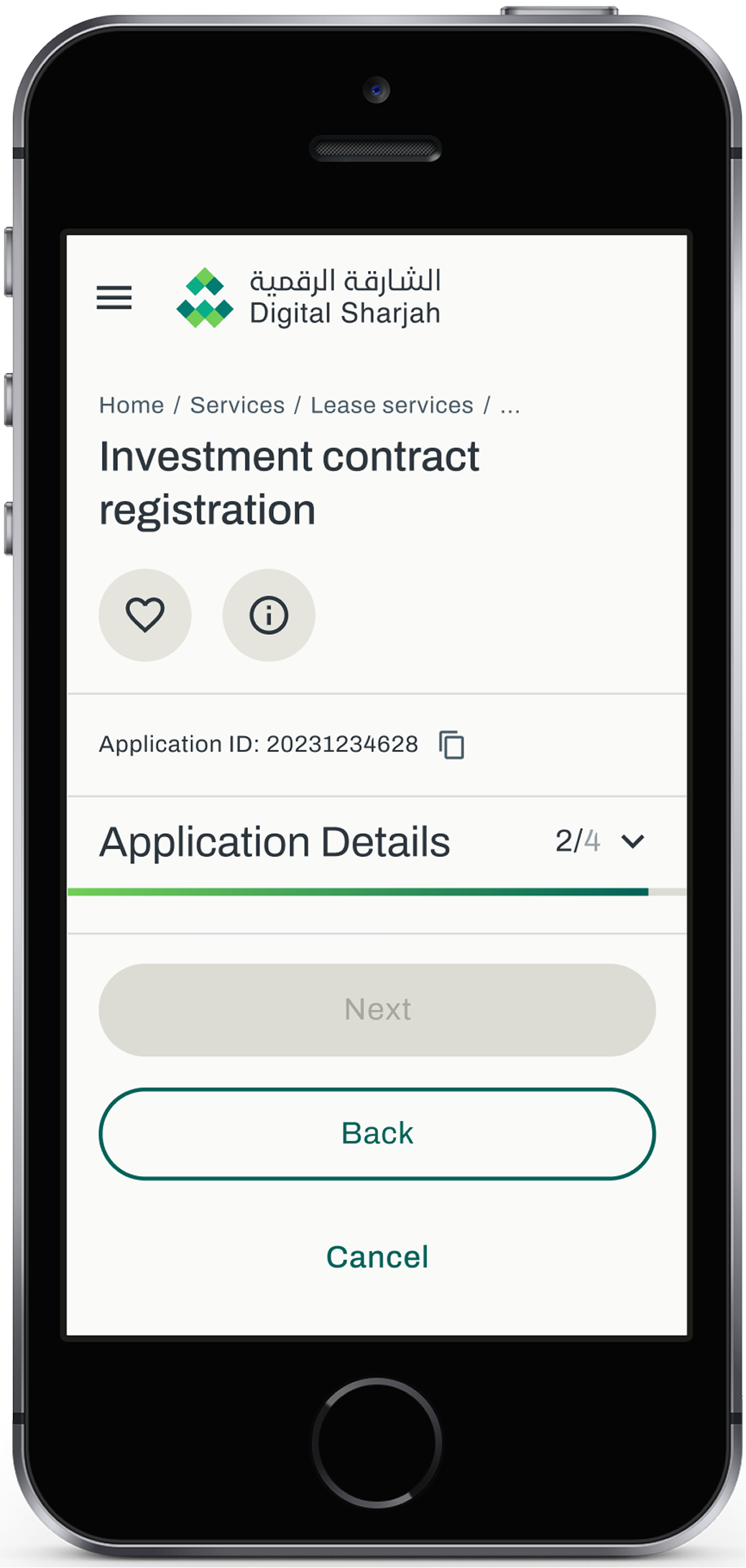
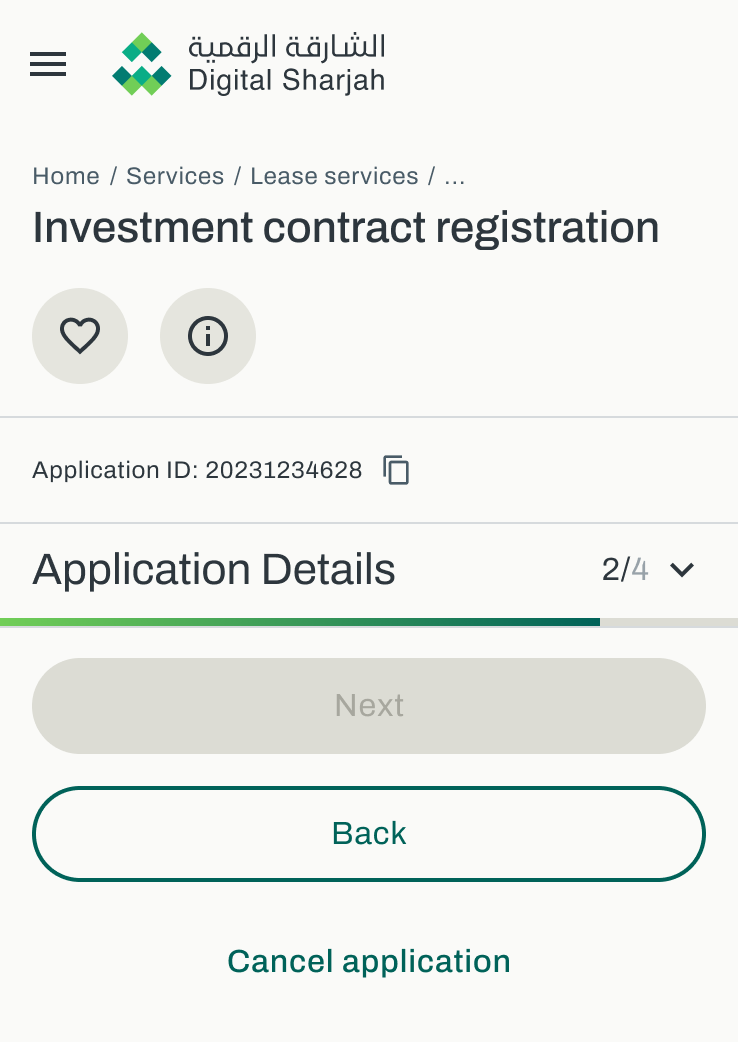
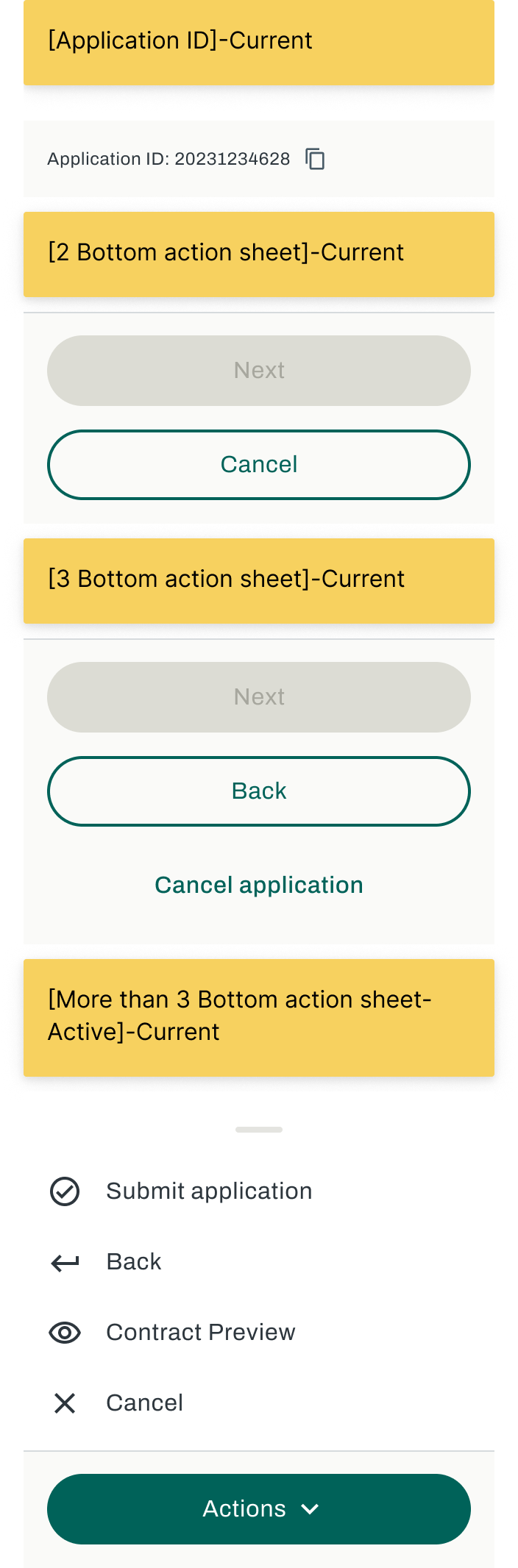
The current reading space restricts content visibility and overall readability. The interface becomes heavily cluttered in edge cases—specifically when a service requires more than three action buttons.
- Stacked buttons consume valuable vertical space.
- Critical information is pushed out of the user's viewport.
Cluttered Viewport
Vertical button stacking reduces the active reading area significantly.
Action Overload
Edge cases with 3+ actions break the standard layout flow.
Readability Drop
Users struggle to digest service details before making a decision.
Data-Driven Context: Screen Resolution
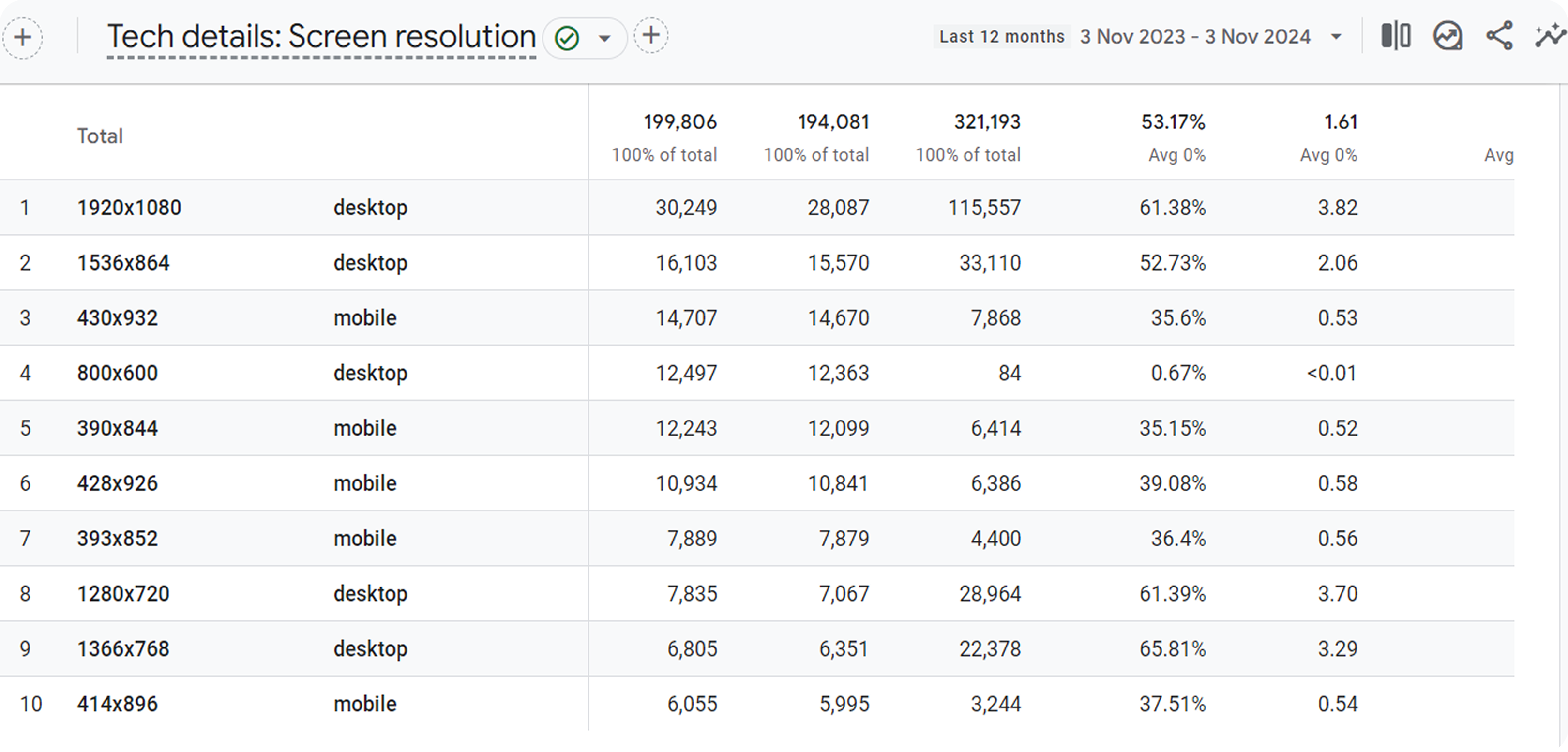
To ensure our design decisions are backed by data, we analyzed screen resolution metrics across our products to identify our primary constraint target.
- Key Finding: The average mobile screen width for our user base is 360 pixels.
- The vast majority of our active users fall within the 360px to 430px range.
Responsive & App Considerations
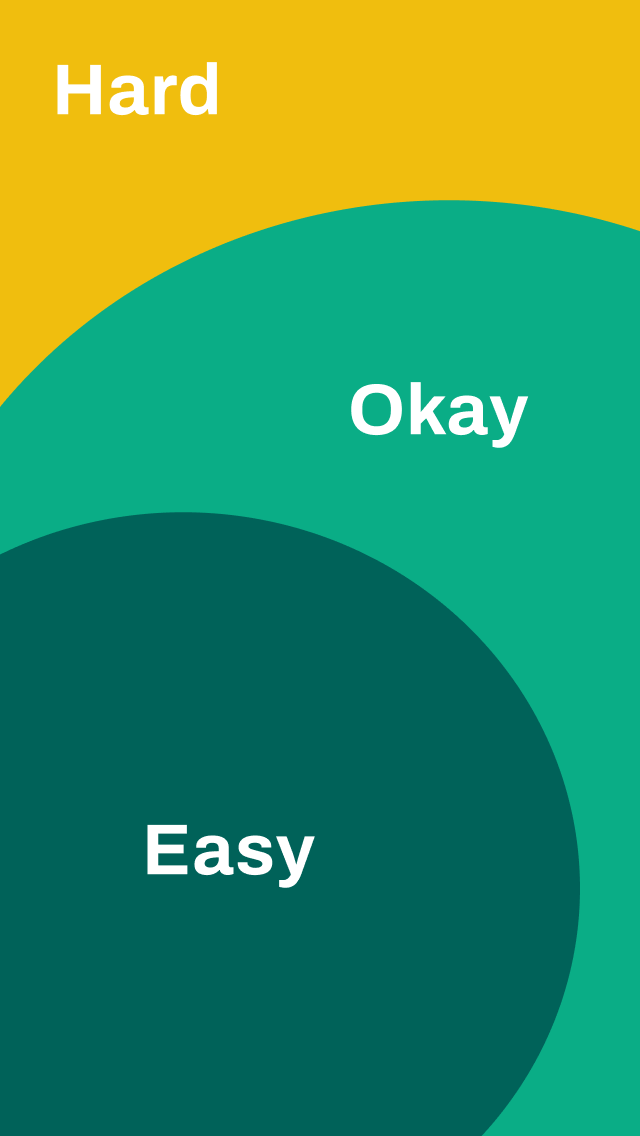
We evaluated interaction models across different zones. By mapping the mobile interface into "Hard," "Okay," and "Easy" reach zones, we could prioritize primary actions naturally without stretching the user's thumb.
Evolving the Action Sheet
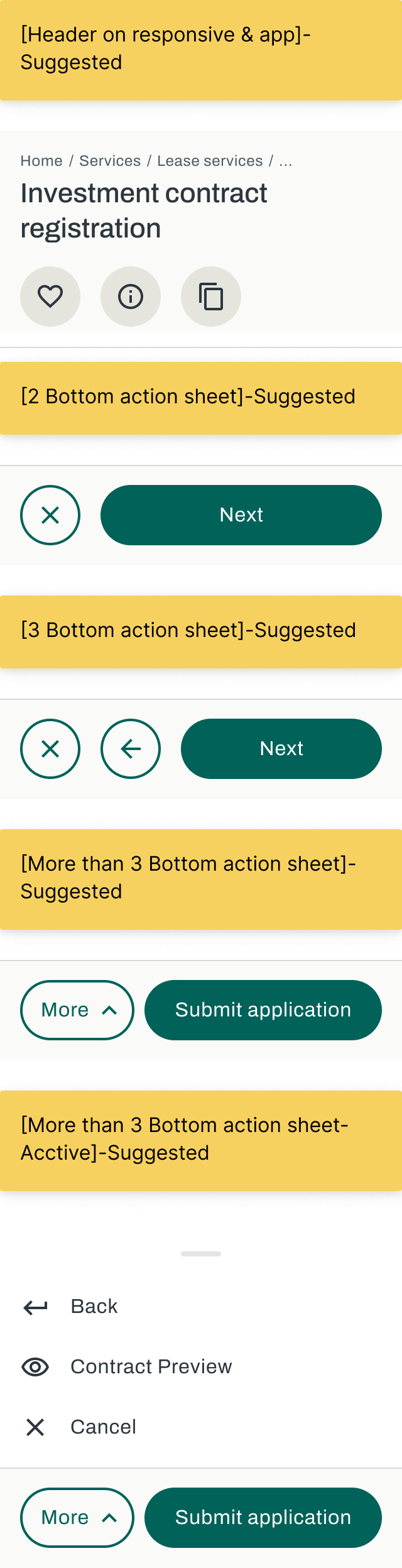
We explored multiple ways to handle bottom action sheets, specifically addressing user stories that require complex decisions or more than three actions. Moving away from vertical stacking was crucial.
The Chosen Approach & Overall Impact
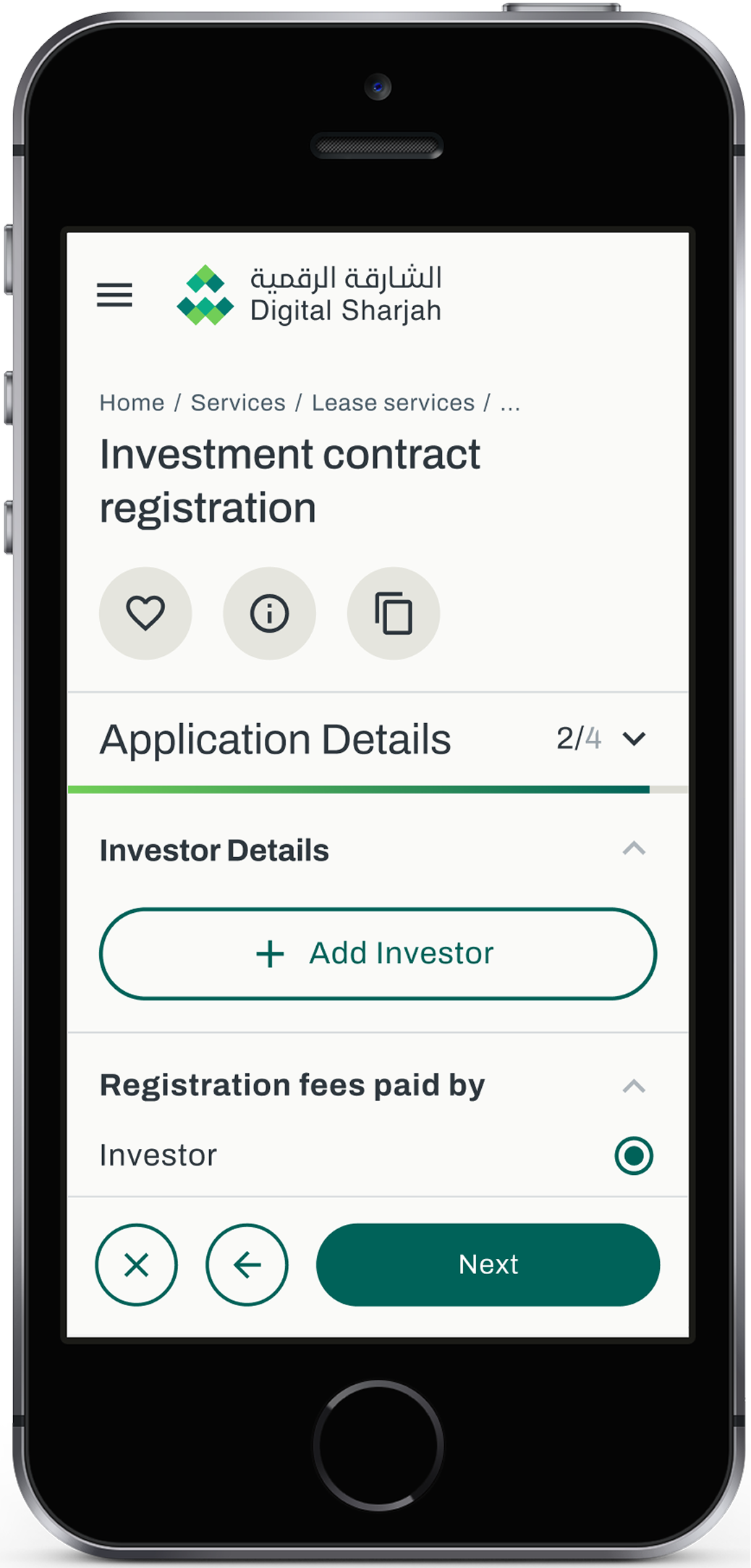
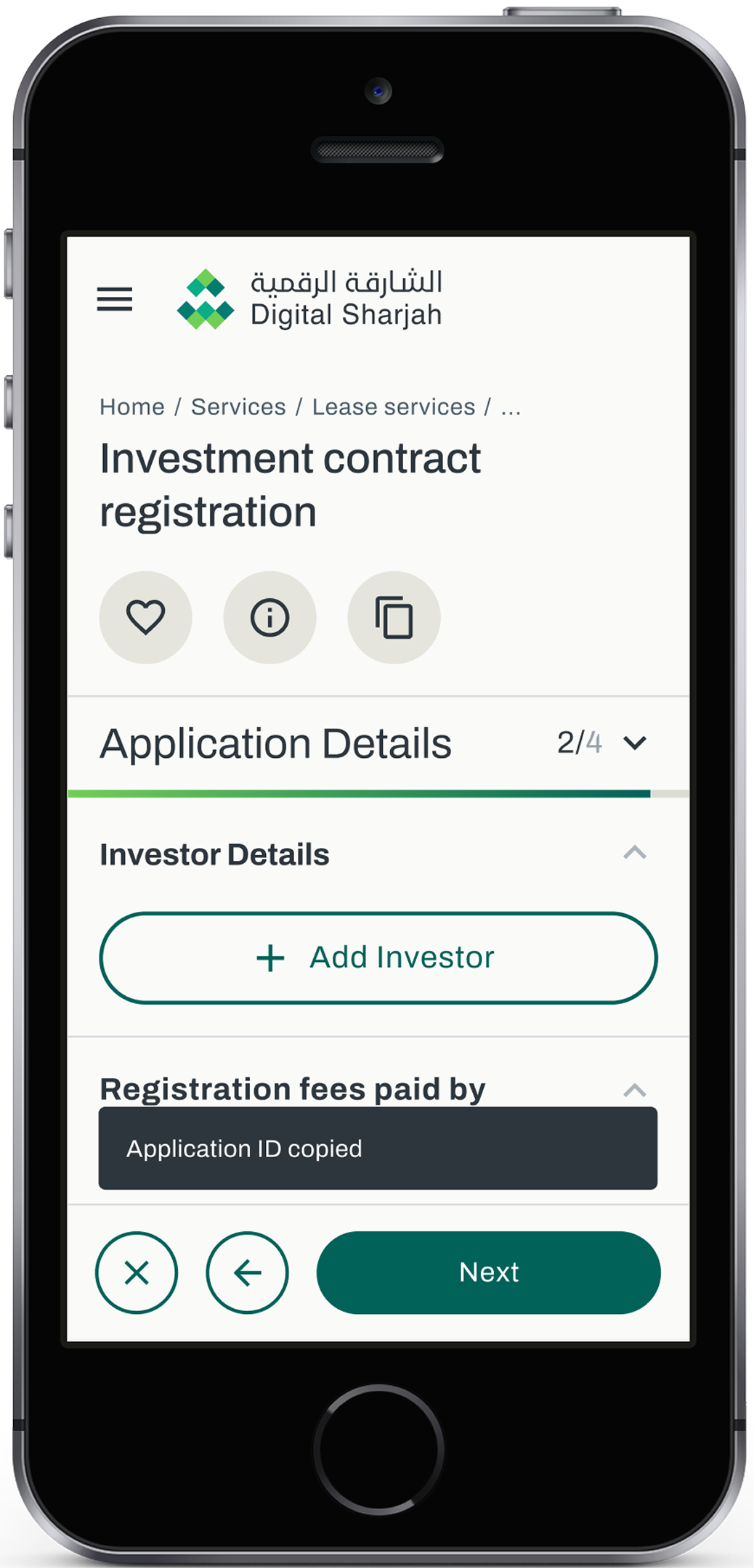
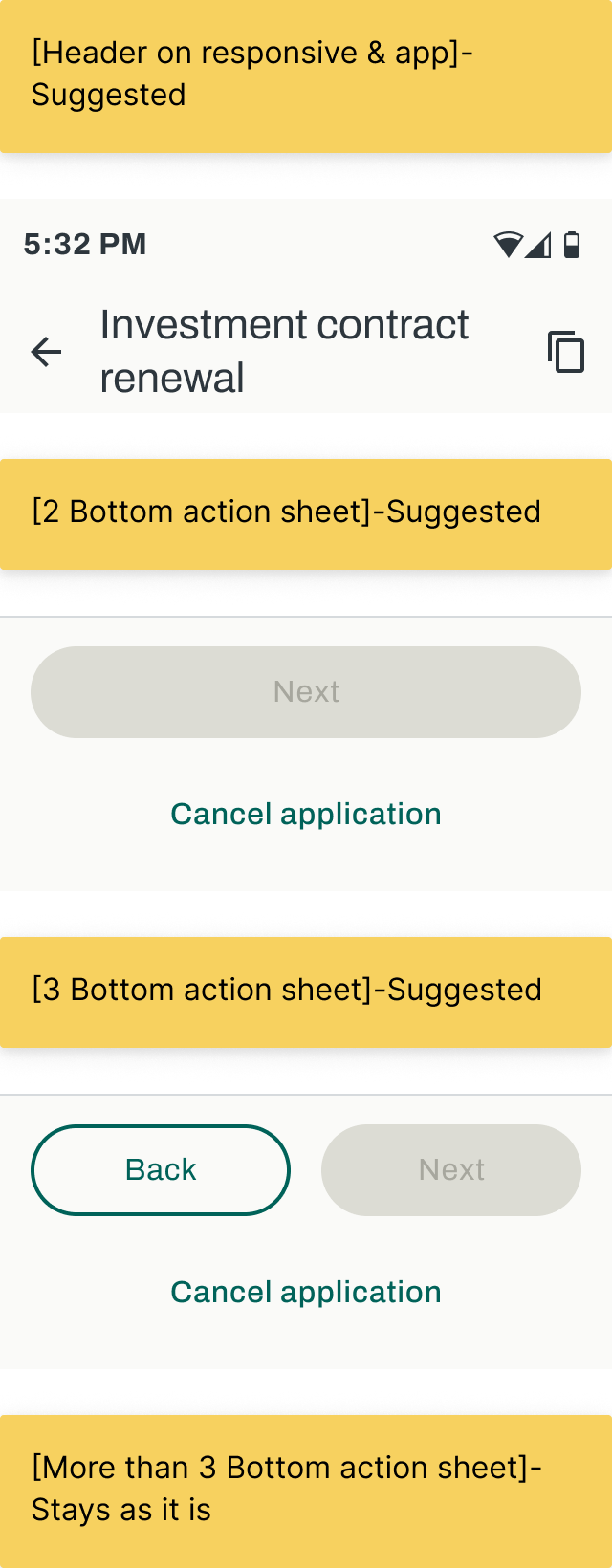
We moved away from the current vertical button stacking to a more space-efficient bottom bar. Secondary actions are grouped as clear icons, freeing up space.
From Stacked to Streamlined
Replaced vertical stacking with a horizontal, space-efficient bottom bar.
Secondary Iconography
Actions like Save, Info, or Print are now clear icons to save space.
Thumb Zone Optimized
Primary buttons placed perfectly within the 'Easy' reach zone.
Enhanced Readability
Frictionless user experience with maximum content visibility.