
The Problem & Solution
The Problem
Zain's field distributors were managing thousands of SIM and eSIM batches using disconnected legacy tools and manual paperwork. This created a significant bottleneck in operations:
- Lack of Real-Time Data: Distributors couldn't accurately track their on-hand stock while in the field.
- Reconciliation Delays: Finance and Sales departments faced a 48-hour lag in reporting sold vs. allocated inventory.
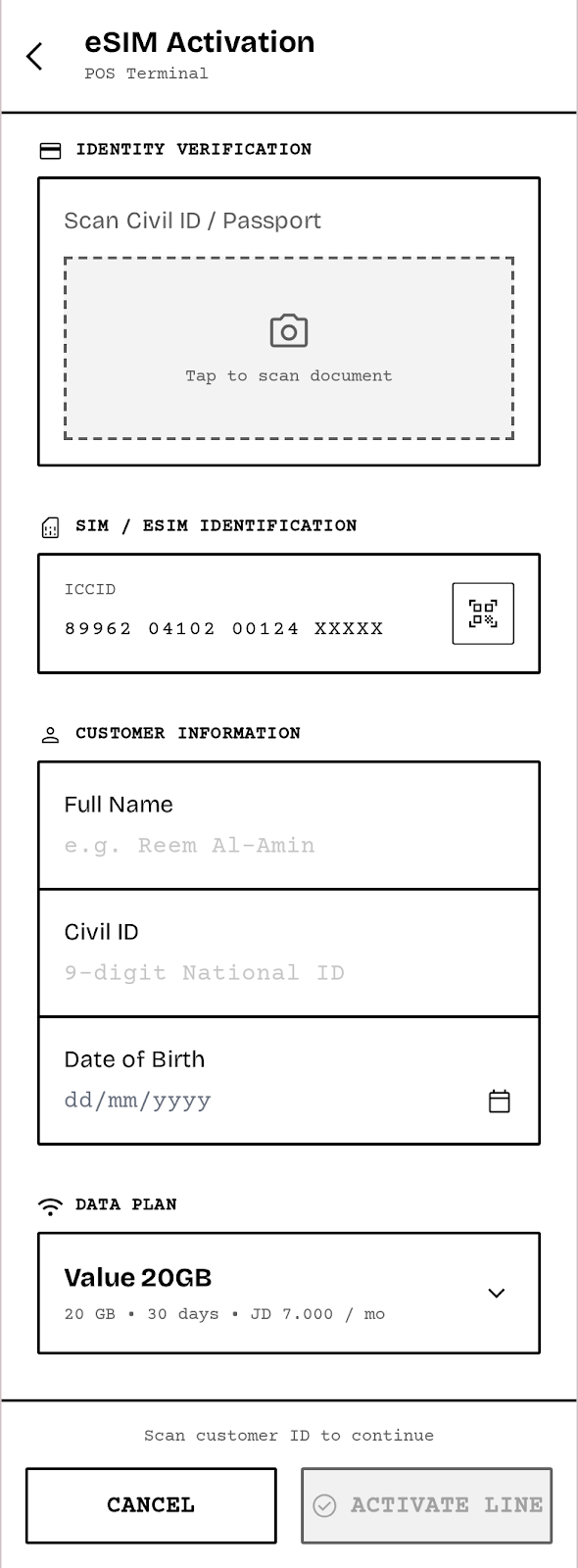
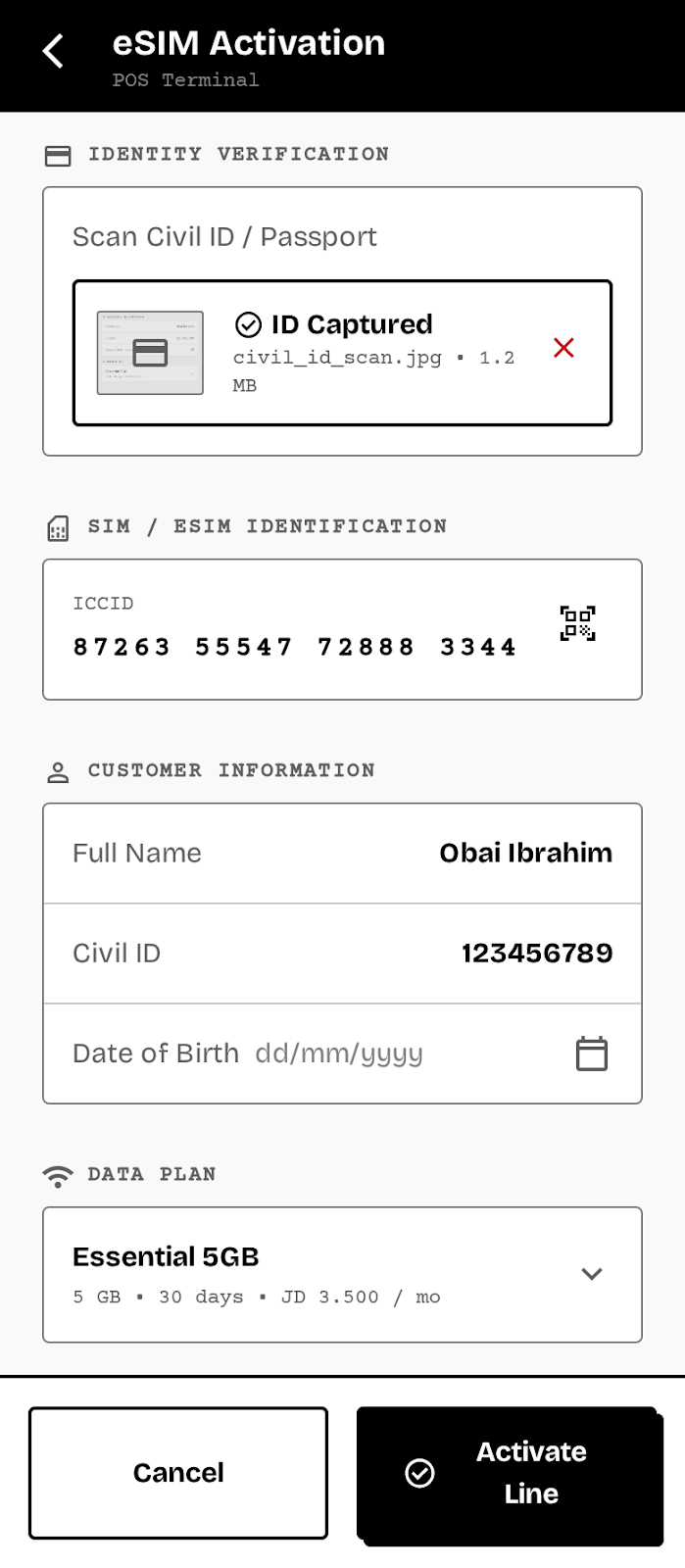
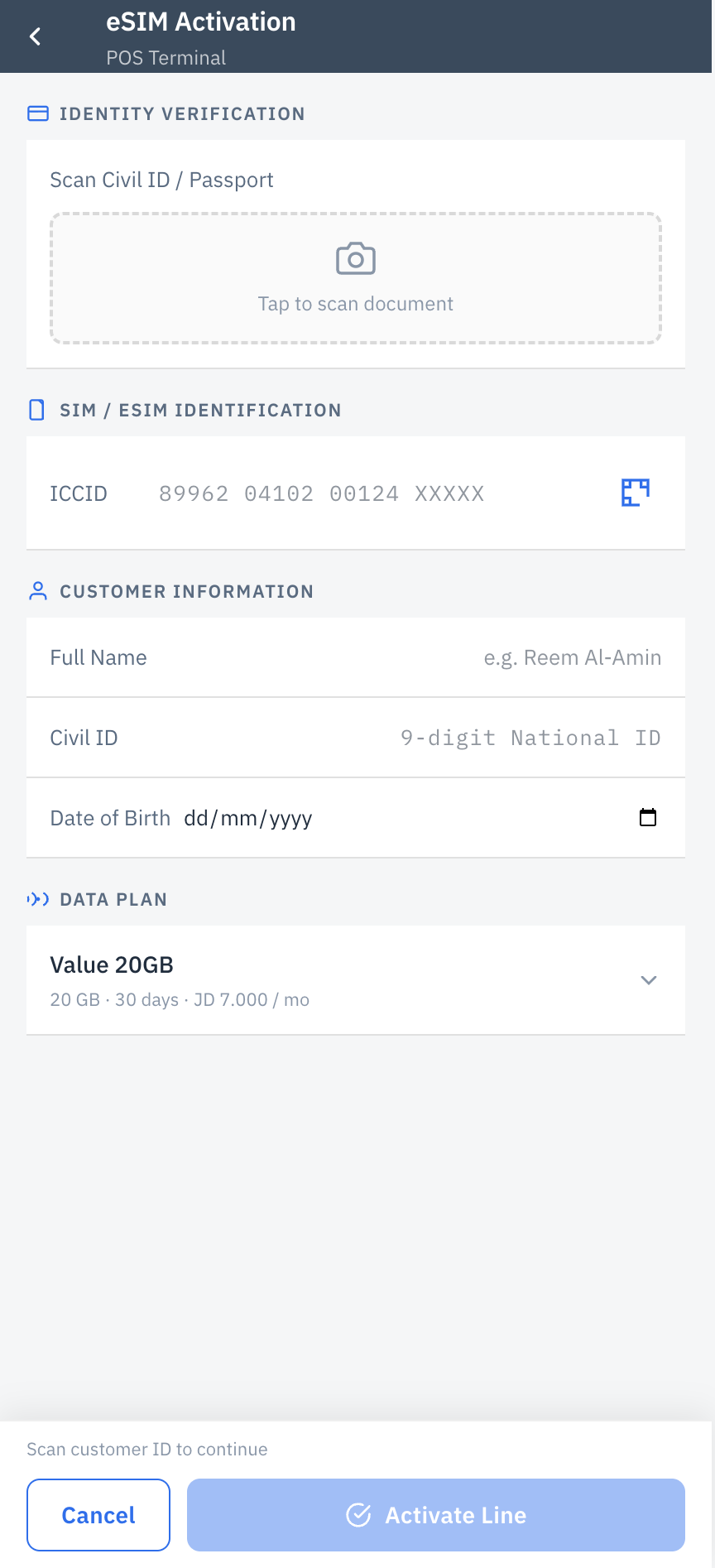
- High Error Rates: Manual entry of 20-digit ICCID numbers led to activation failures at the Point of Sale (POS).
The Solution
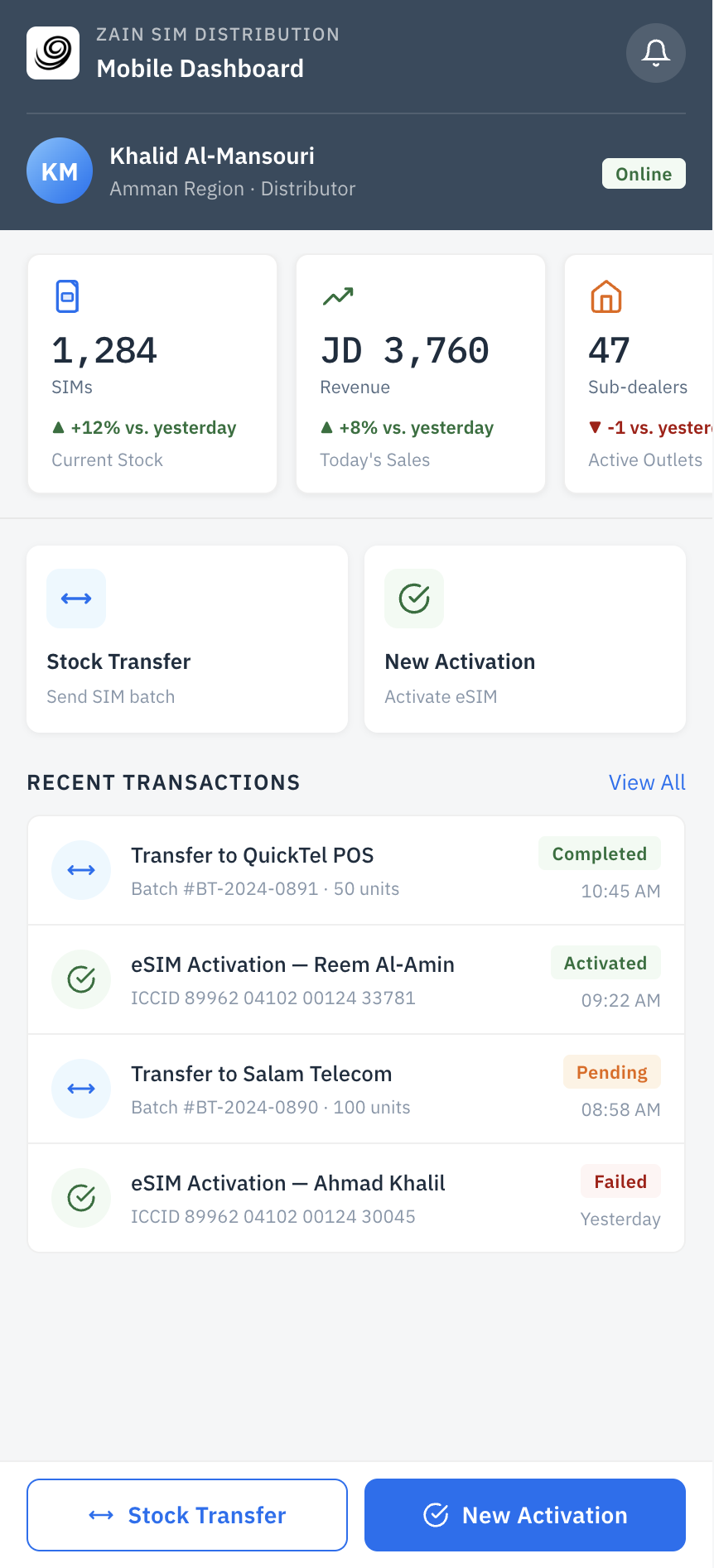
We designed a streamlined, task-oriented Mini-App integrated directly into the SAP S/4HANA backend. By strictly adhering to the SAP Fiori Design System, we ensured that the app was not only scalable and technically feasible but also provided a familiar, enterprise-grade user experience.
Understanding the Field Experience
To ensure we were solving the right problems, we conducted on-site User Interviews with active distributors across various regions. We shadowed their daily routes to observe context, environmental constraints, and hardware usage.
Key Findings from Interviews
- "One-Handed Operation": Distributors are often holding boxes or standing in busy supermarkets; they need to navigate the app with one thumb.
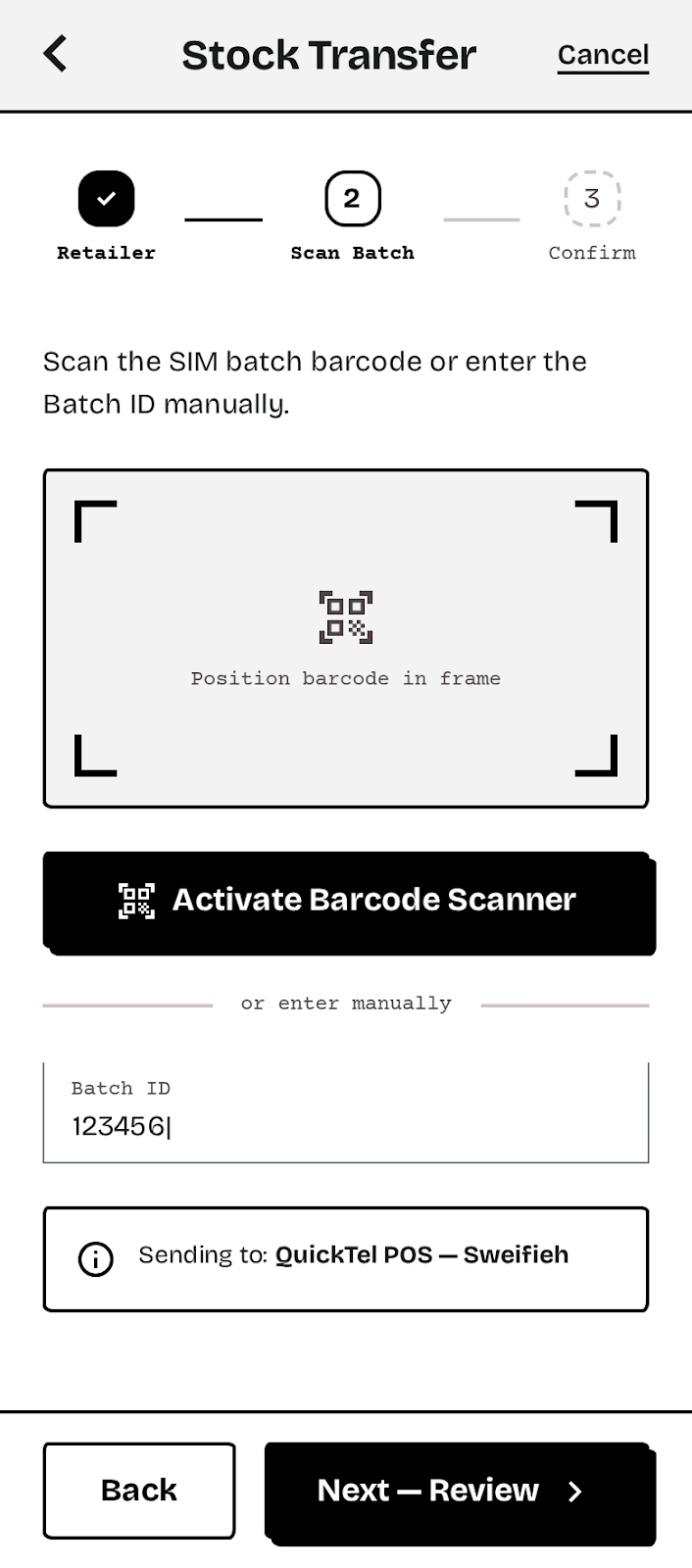
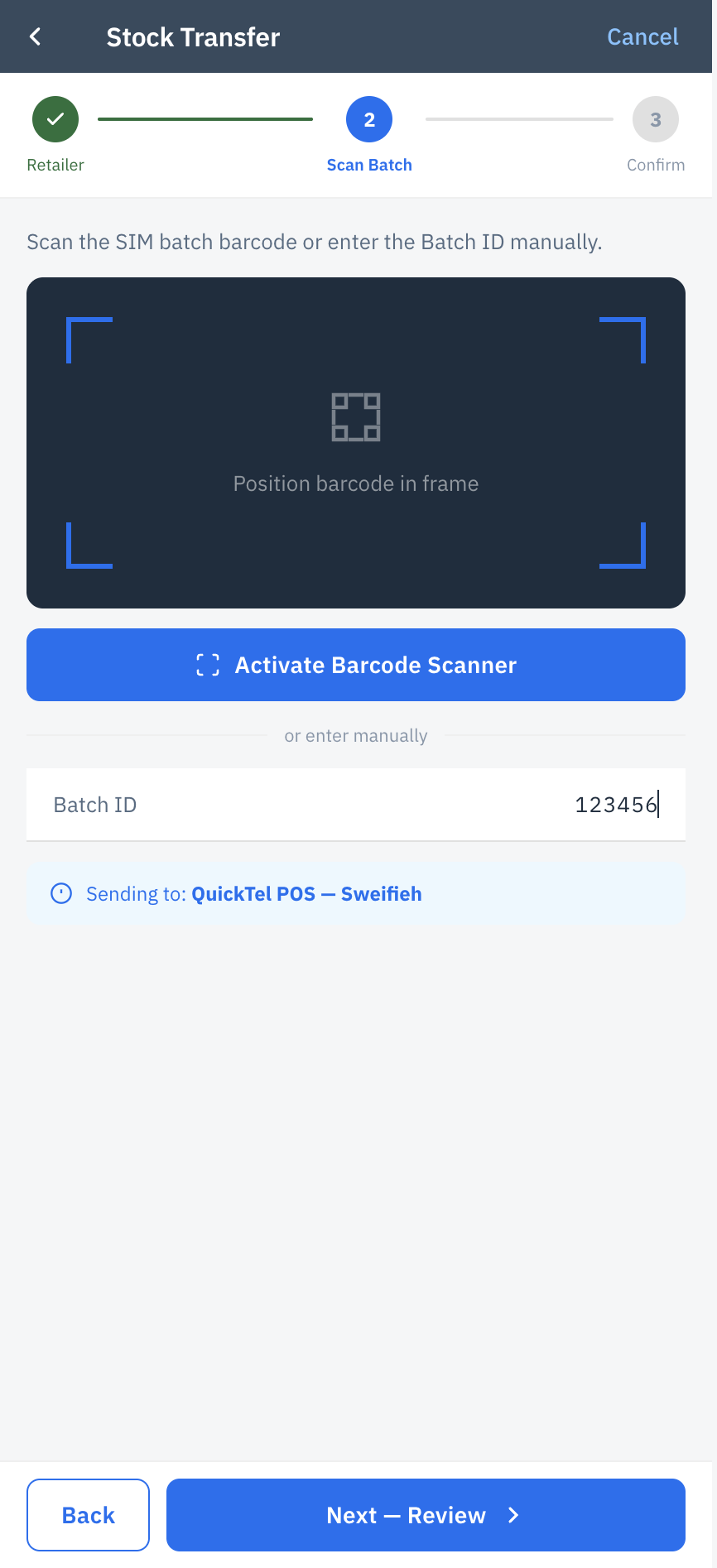
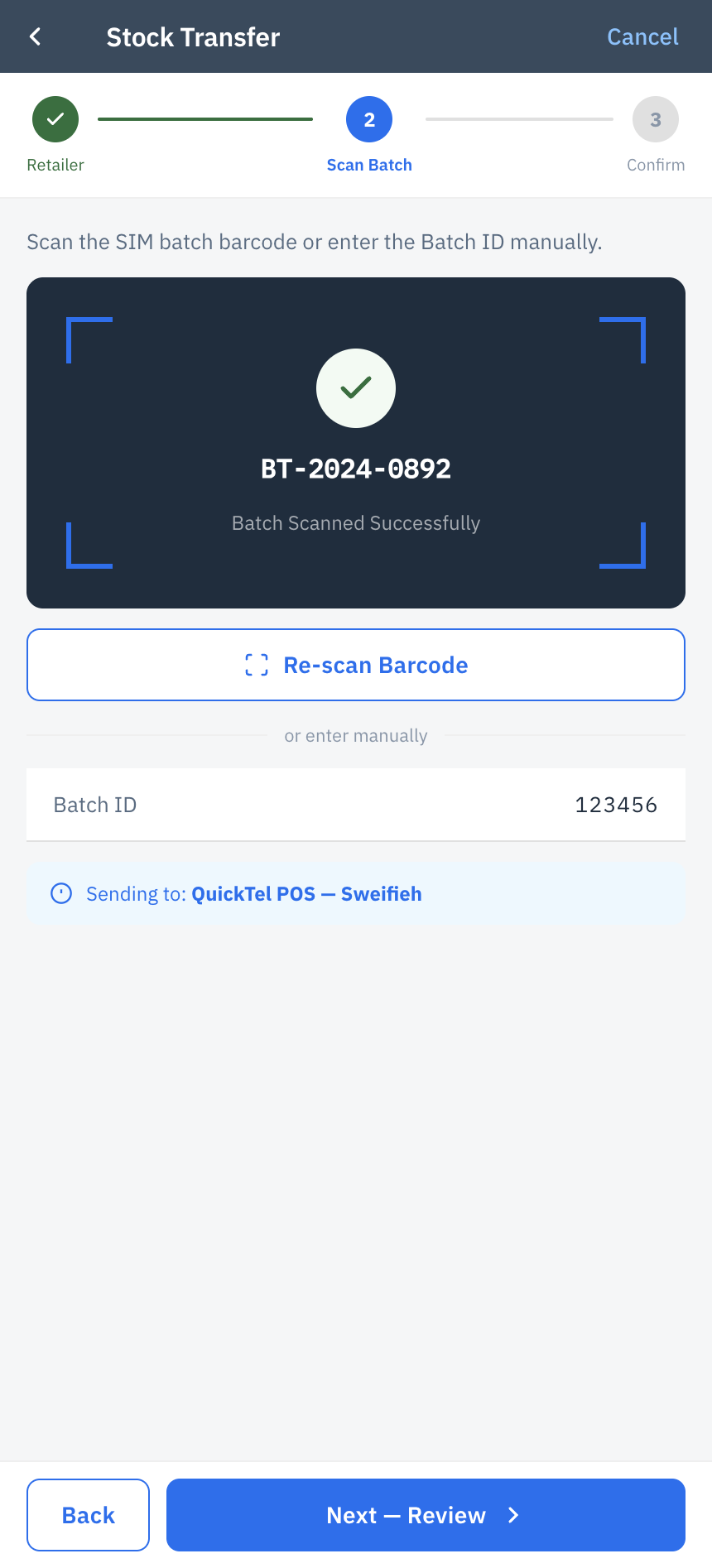
- "Optical Scanning is Mandatory": Typing ICCIDs is a major pain point. They demanded camera-based barcode/QR scanning for batch transfers.
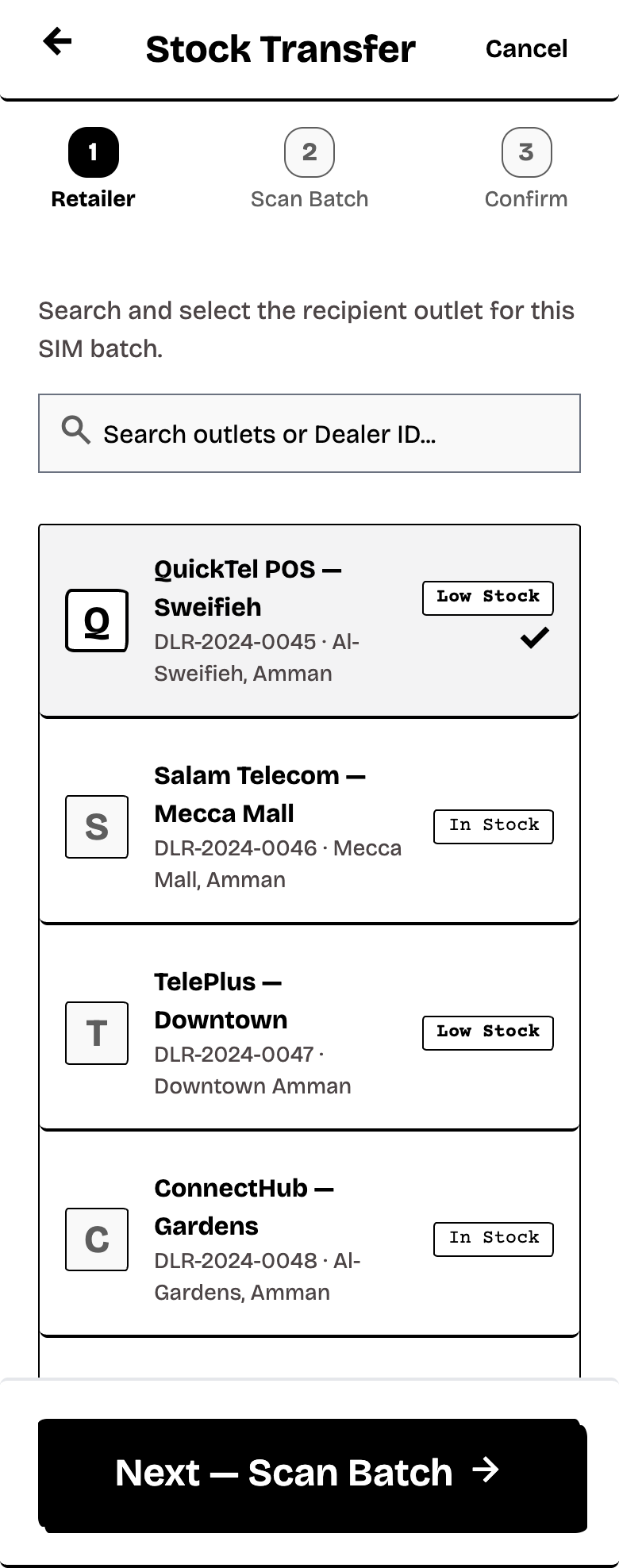
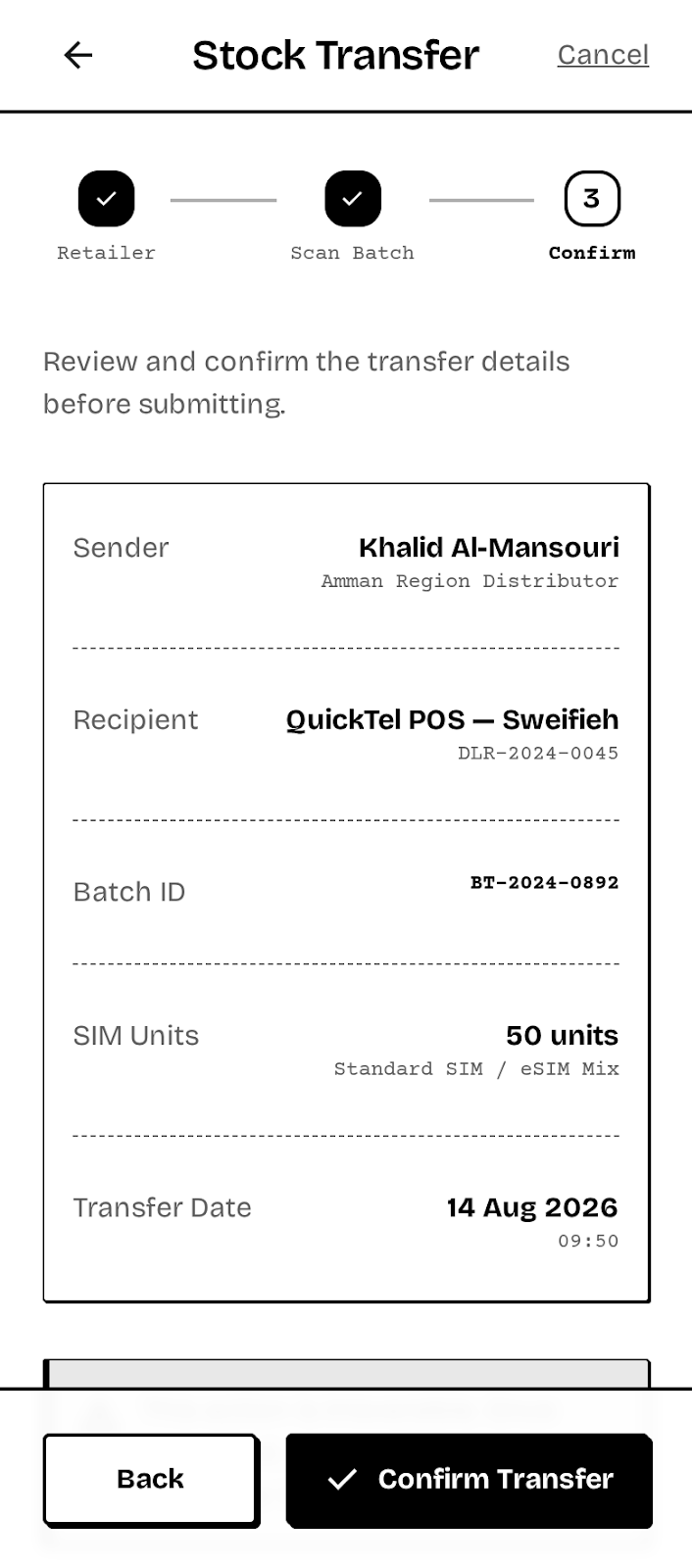
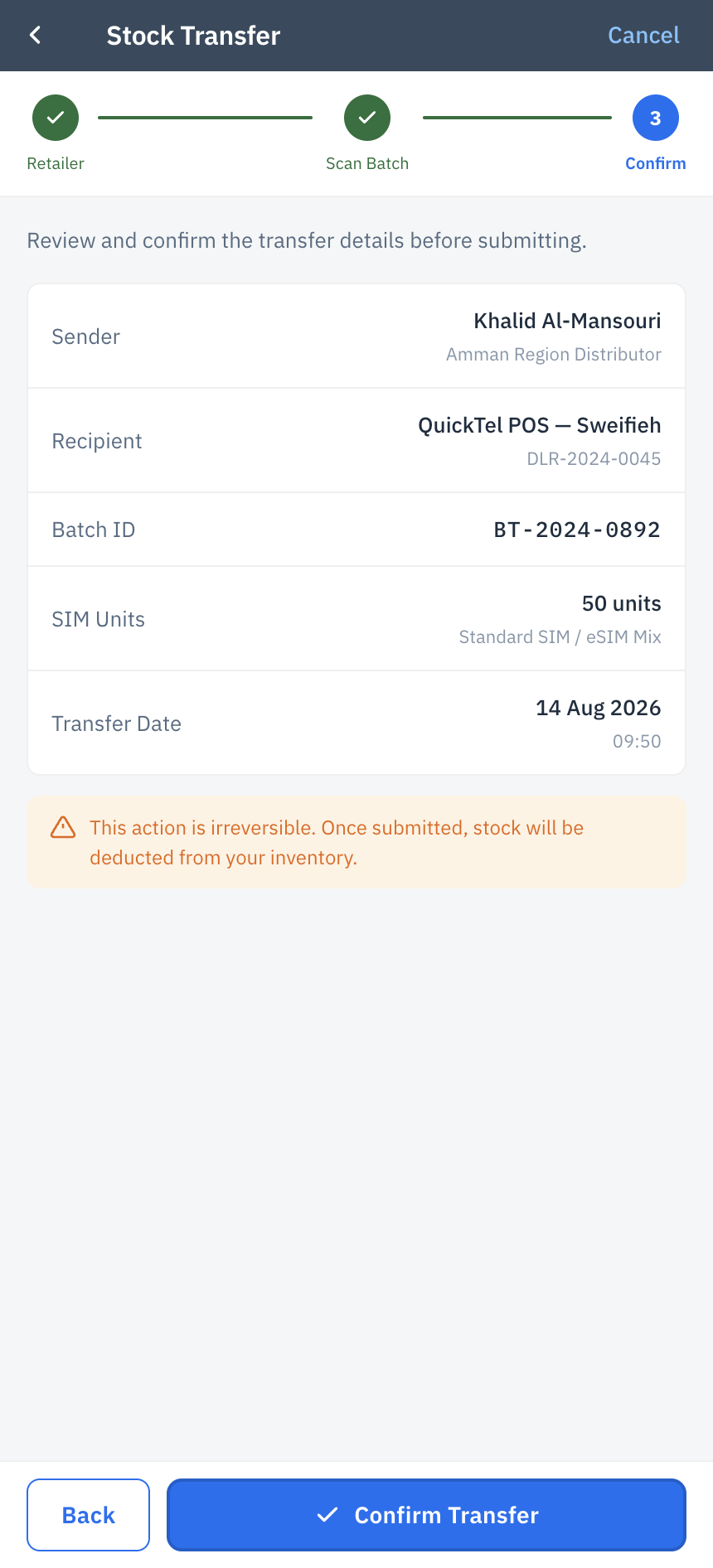
- "Fear of Mistakes": Transferring stock is a financial liability. Distributors needed clear confirmation screens before submitting any transfer to a retailer.
Primary Persona
The Field Distributor
Goal: Distribute SIM batches quickly to retailers and track daily revenue.
Pain Point: Poor network coverage in certain areas and clumsy UI in legacy systems slowing down handovers.
Secondary Persona
The POS Retailer
Goal: Receive stock instantly and activate lines for end-users seamlessly.
Pain Point: Delays in stock reflection meaning they can't sell SIMs immediately after the distributor leaves.
Structuring the User Journey
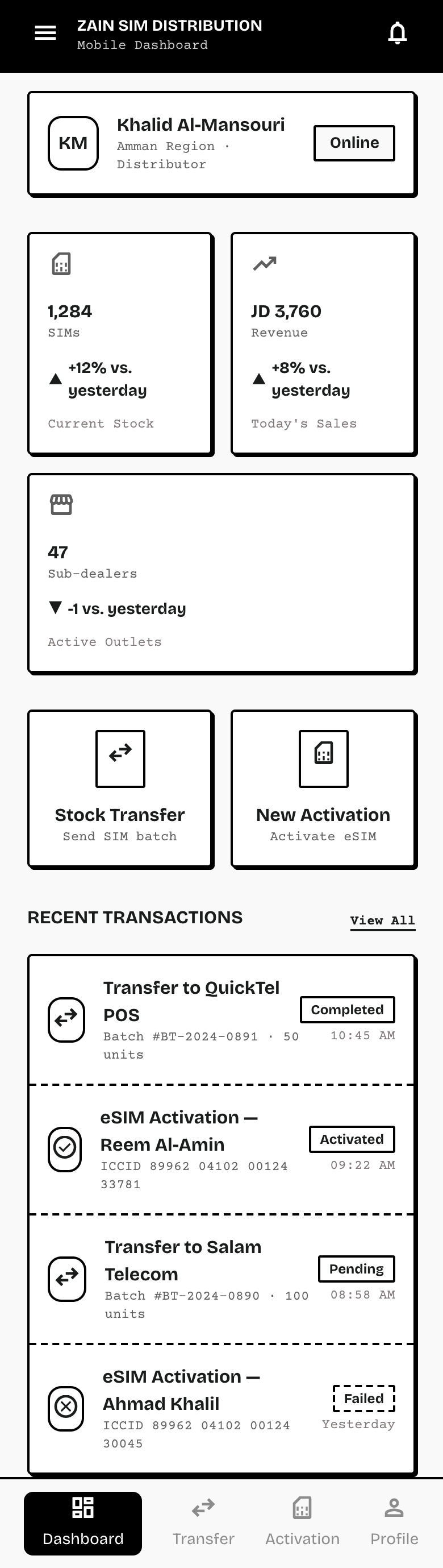
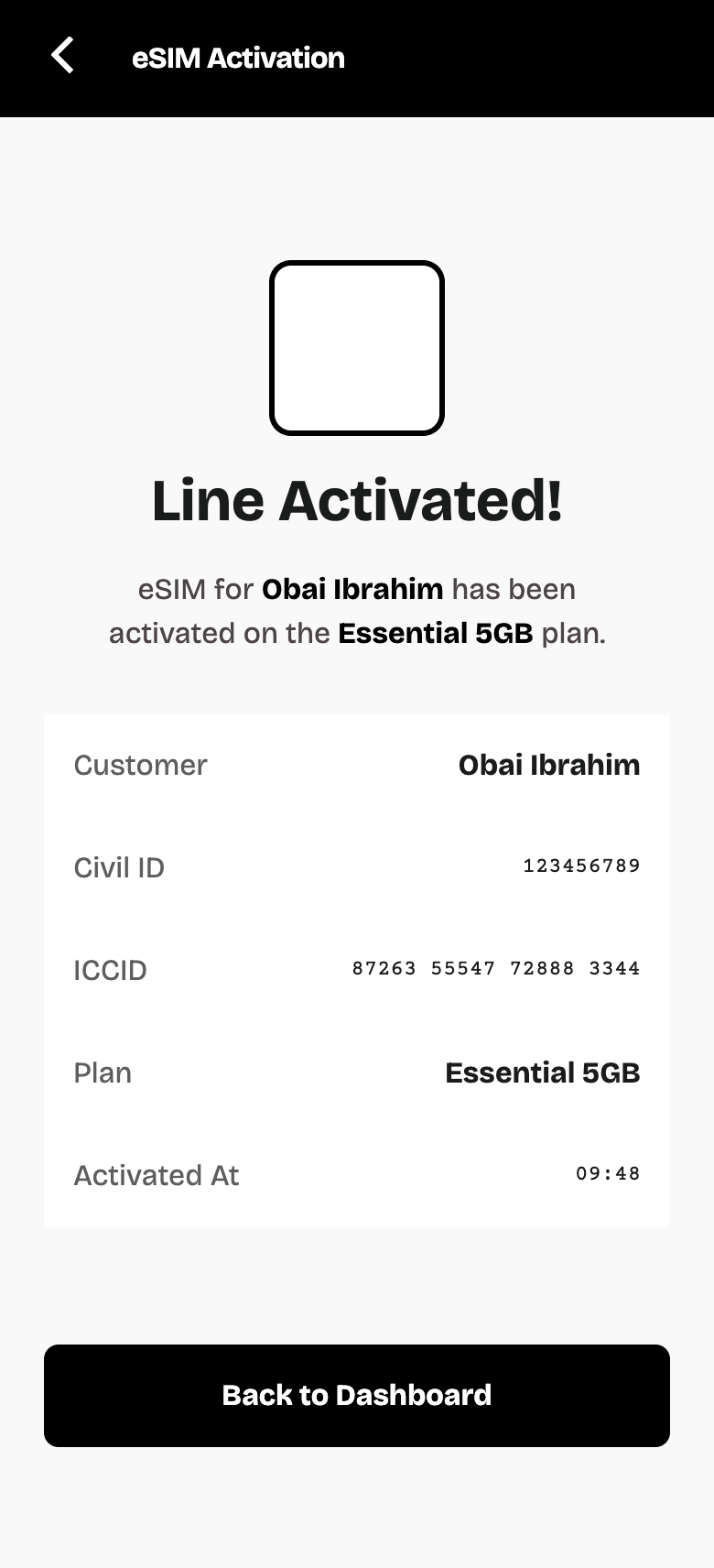
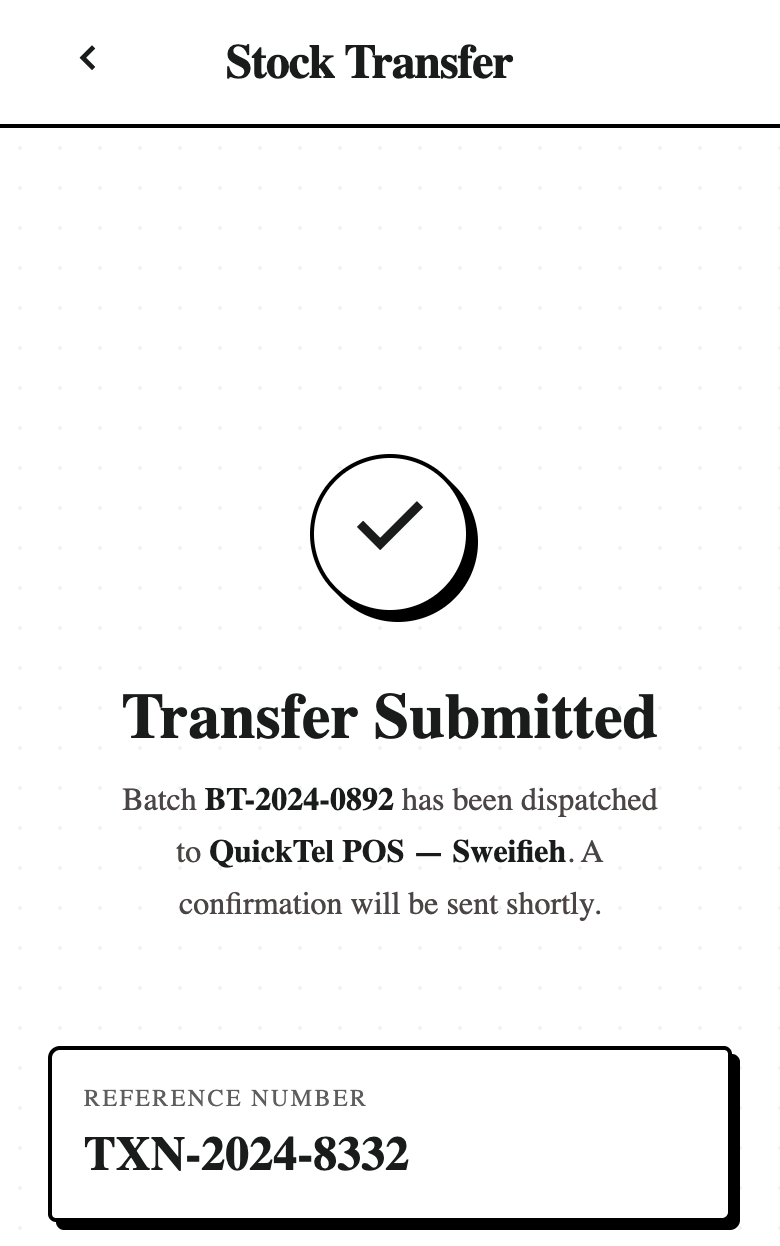
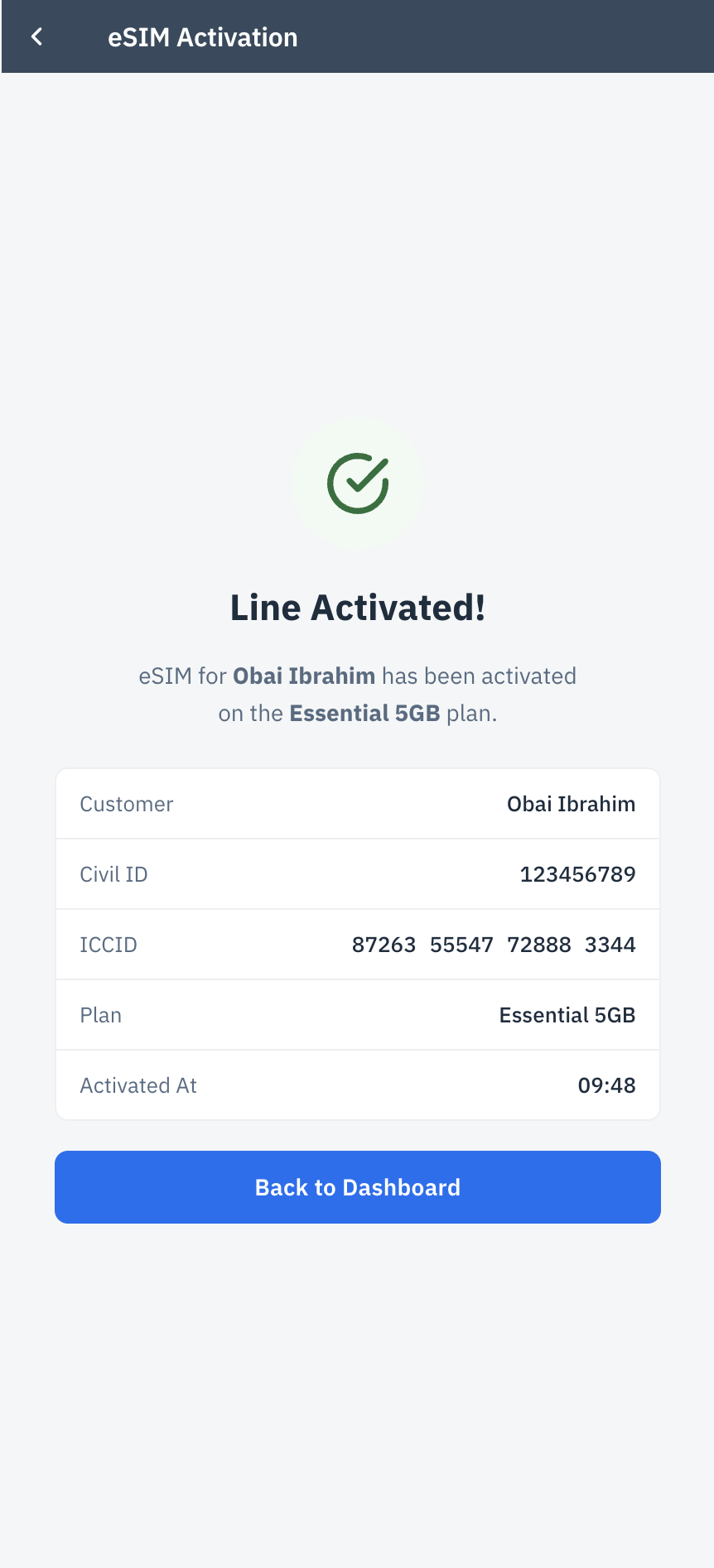
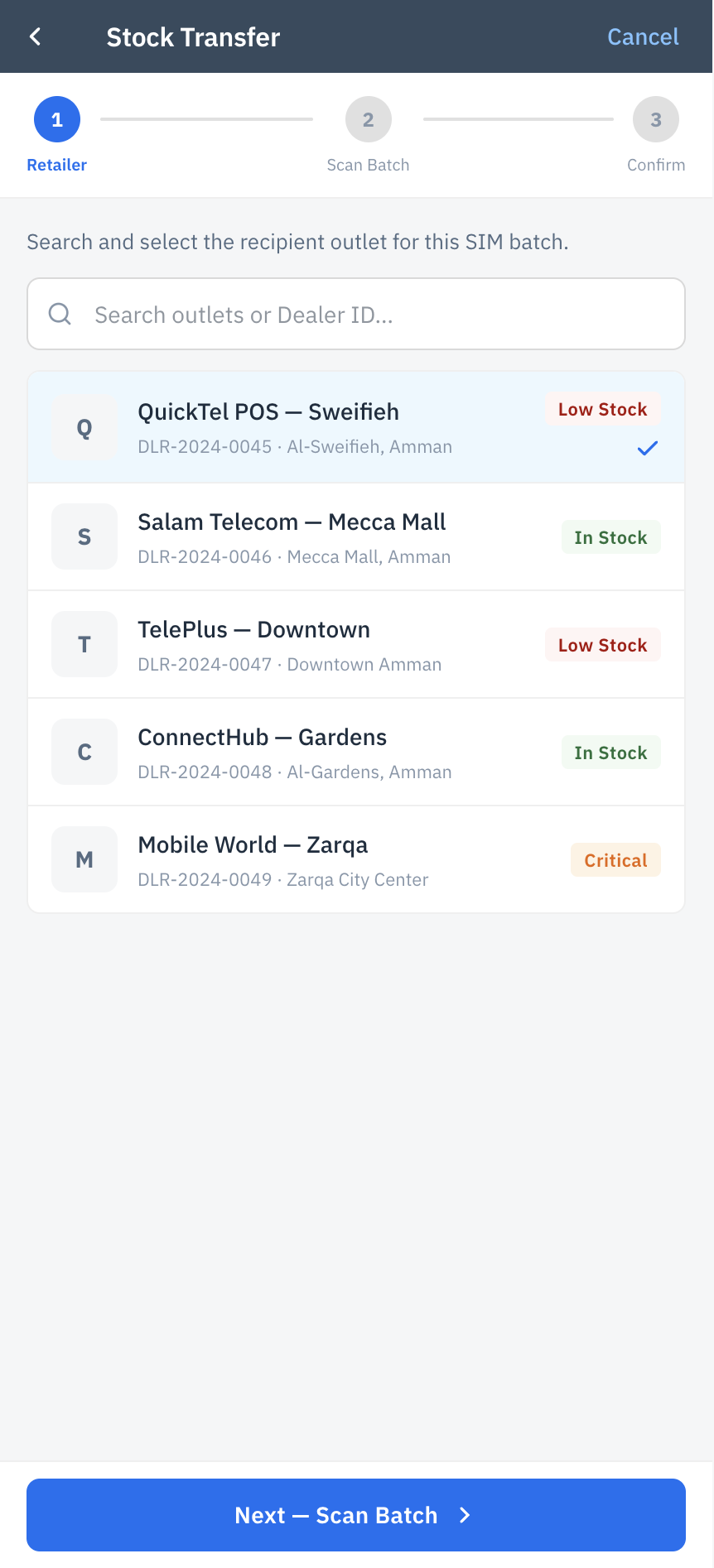
Translating research into structure, we began with low-fidelity sketches and transitioned into digital wireframes. The core user journey focused on a 3-step wizard for stock transfer: Select Retailer → Scan Batch → Confirm. Layouts were engineered for a 4-per-row view to map the entire journey clearly.
Ensuring Usability & Feasibility
A/B Testing with Distributors
We tested two navigation models with a sample group of users:
- Option A: Standard Fiori bottom tab bar.
- Option B: Fiori Quick Action buttons directly on the dashboard (KPI Header approach).
Result: Option B won decisively. It reduced cognitive load and allowed distributors to launch the "Stock Transfer" flow 40% faster with a single thumb tap.
Usability Testing
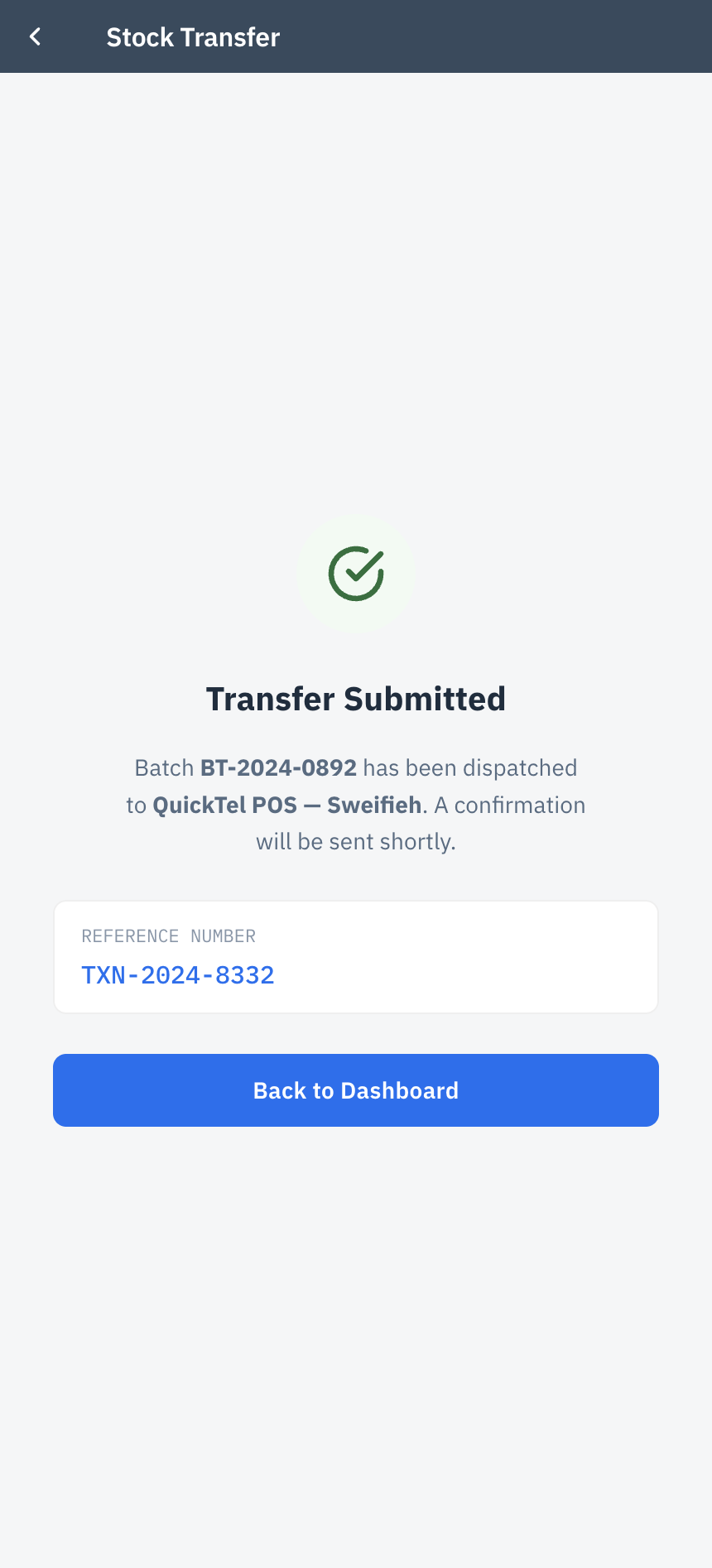
A high-fidelity prototype was tested with 5 active distributors in a simulated field environment. The task success rate was 100% for the barcode scanning flow, though we refined the contrast of the "Success" state based on outdoor glare feedback.
Cross-Functional Alignment
Business Accuracy (Sales & Finance): Reviewed data endpoints with Finance to ensure the UX perfectly mirrored the SAP ledger structure, guaranteeing real-time financial reconciliation upon every transfer.
Technical Feasibility (Development): Validated the Figma components with the SAPUI5 developers. By strictly using standard Fiori elements (e.g., ObjectCell, Wizard), development time was slashed by avoiding custom CSS.
SAP Fiori Design System
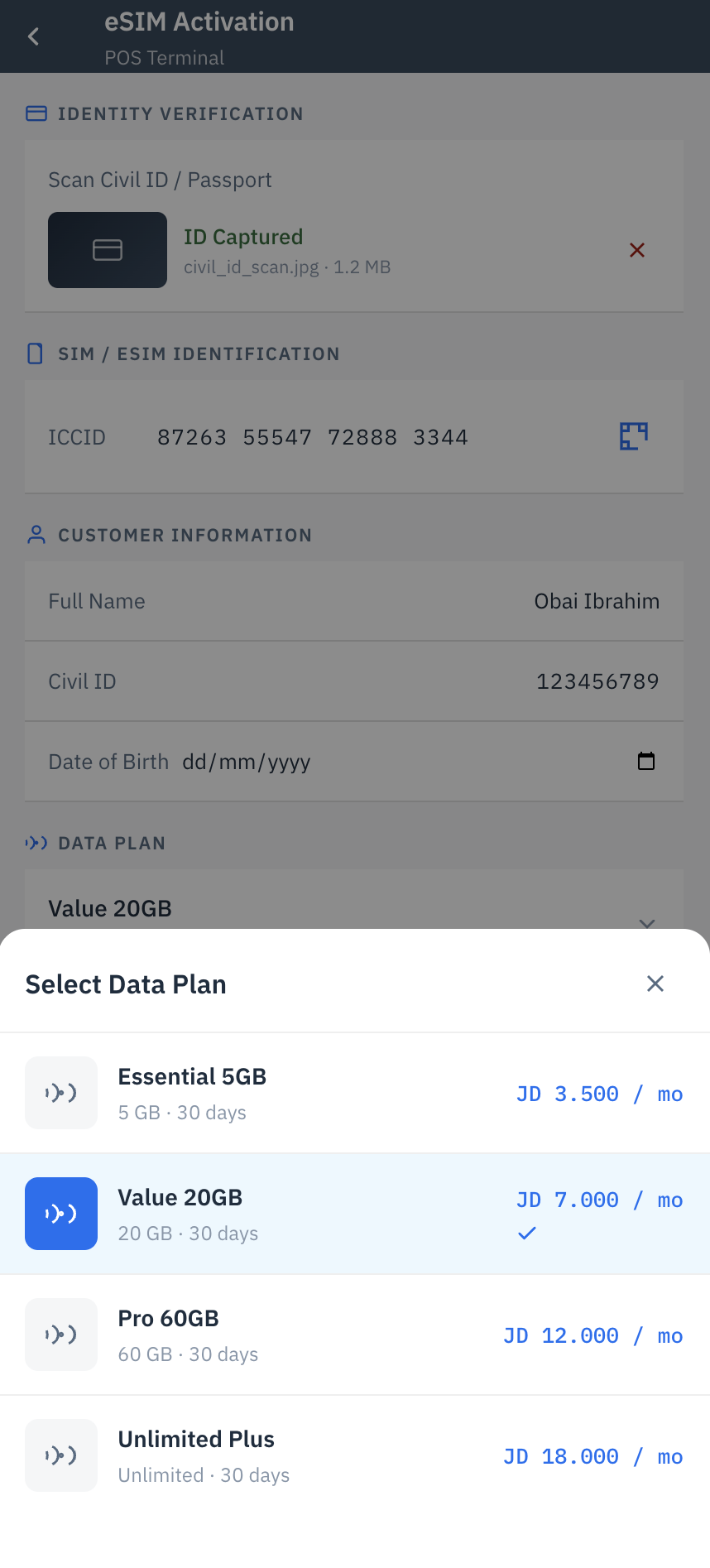
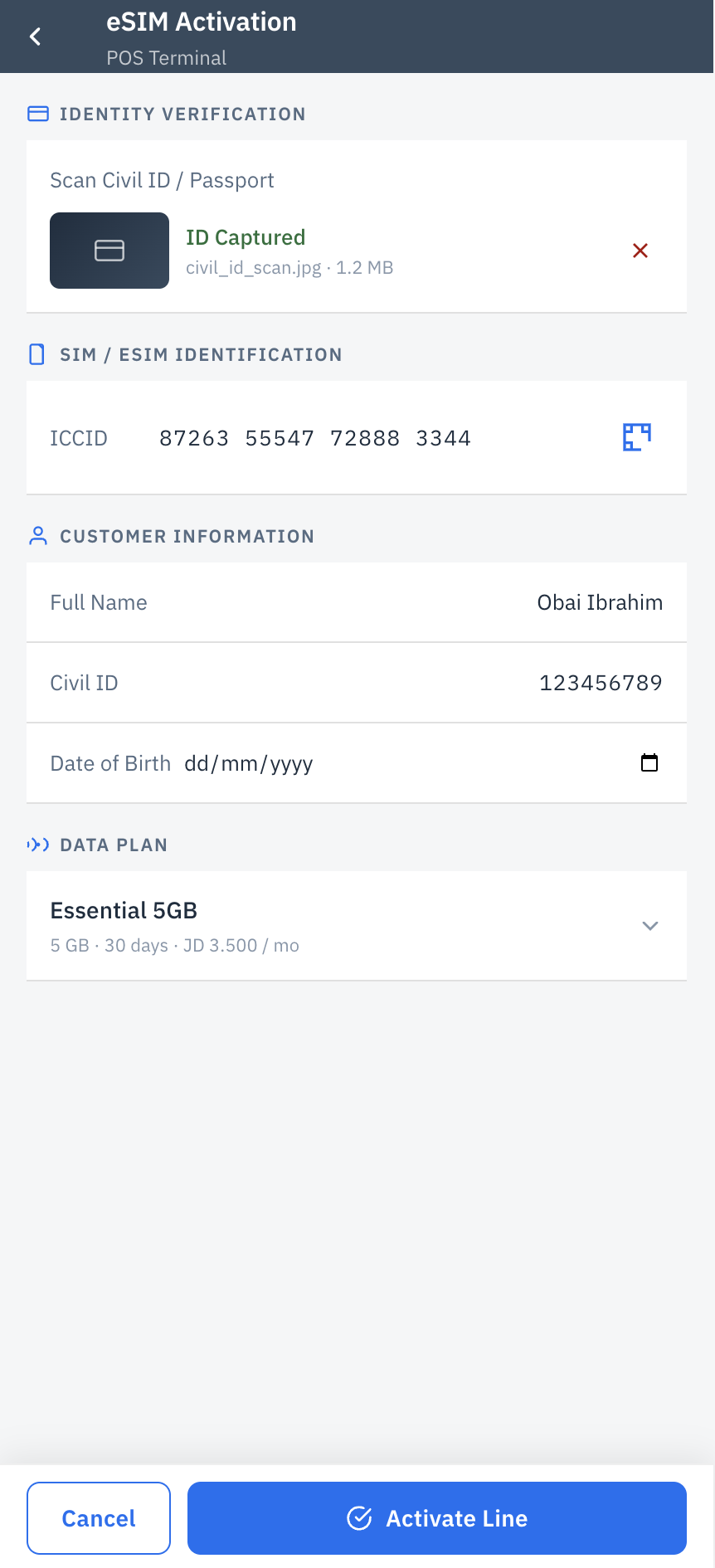
The final UI leverages the SAP Fiori Horizon theme for iOS/Mobile. We utilized native components to ensure accessibility, optimal touch targets (44pt minimum), and a seamless enterprise experience. The 2-per-row layout showcases the exact structural fidelity presented to the development team.
Measuring Success
By shifting from custom UI attempts to a strictly native SAP Fiori architecture, the Zain SIM Distribution mini-app achieved three key milestones:
Usability
Zero learning curve for distributors already familiar with enterprise workflows. The guided wizard eliminated manual entry errors.
Development Speed
Utilizing the Fiori UI Kit in Figma allowed developers to map designs directly to SAPUI5 components instantly.
Business Value
Achieved real-time stock visibility for both Sales and Finance, closing the 48-hour operational blind spot.