01
Turn product value into a clear story
Translate a feature-rich language-learning product into a focused web narrative that quickly communicates what Kalimaty is, who it is for, and why the personal-dictionary model matters.
Designing and launching a new web experience for Kalimaty while using an AI-assisted development workflow to move from product thinking and interface design to code, version control, deployment, and continuous iteration.
Kalimaty had an established mobile product and brand. The next challenge was to create a web experience that explains the product clearly, supports acquisition, and communicates the product value without turning the site into a static marketing layer disconnected from the actual experience.
Translate a feature-rich language-learning product into a focused web narrative that quickly communicates what Kalimaty is, who it is for, and why the personal-dictionary model matters.
Extend the product's visual language into the website while keeping the interaction model, typography, spacing, imagery, and content hierarchy coherent.
Use a modern, AI-assisted workflow to move from design decisions to working code, validate the result, and iterate without treating development as a separate phase.
The project was intentionally treated as an end-to-end product workflow. The goal was not only to design the pages, but to establish a practical path from interface decisions to a live production experience.
Define the information architecture, page hierarchy, content structure, responsive behavior, and visual language before implementation.
Use Codex as a development partner to translate design intent into code, iterate on structure and styling, and solve implementation details through short feedback loops.
Keep the work organized in GitHub using branches, commits, pushes, merges, and a controlled main branch as the source of truth.
Connect the repository to Vercel so approved changes can move from source control to preview and production with a repeatable release workflow.
Instead of separating design, development, and release into disconnected stages, the workflow stayed iterative. Each stage produced something testable that informed the next decision.
Clarify the site's role in the broader product ecosystem, identify the primary user questions, and structure the experience around the jobs the website needs to perform.
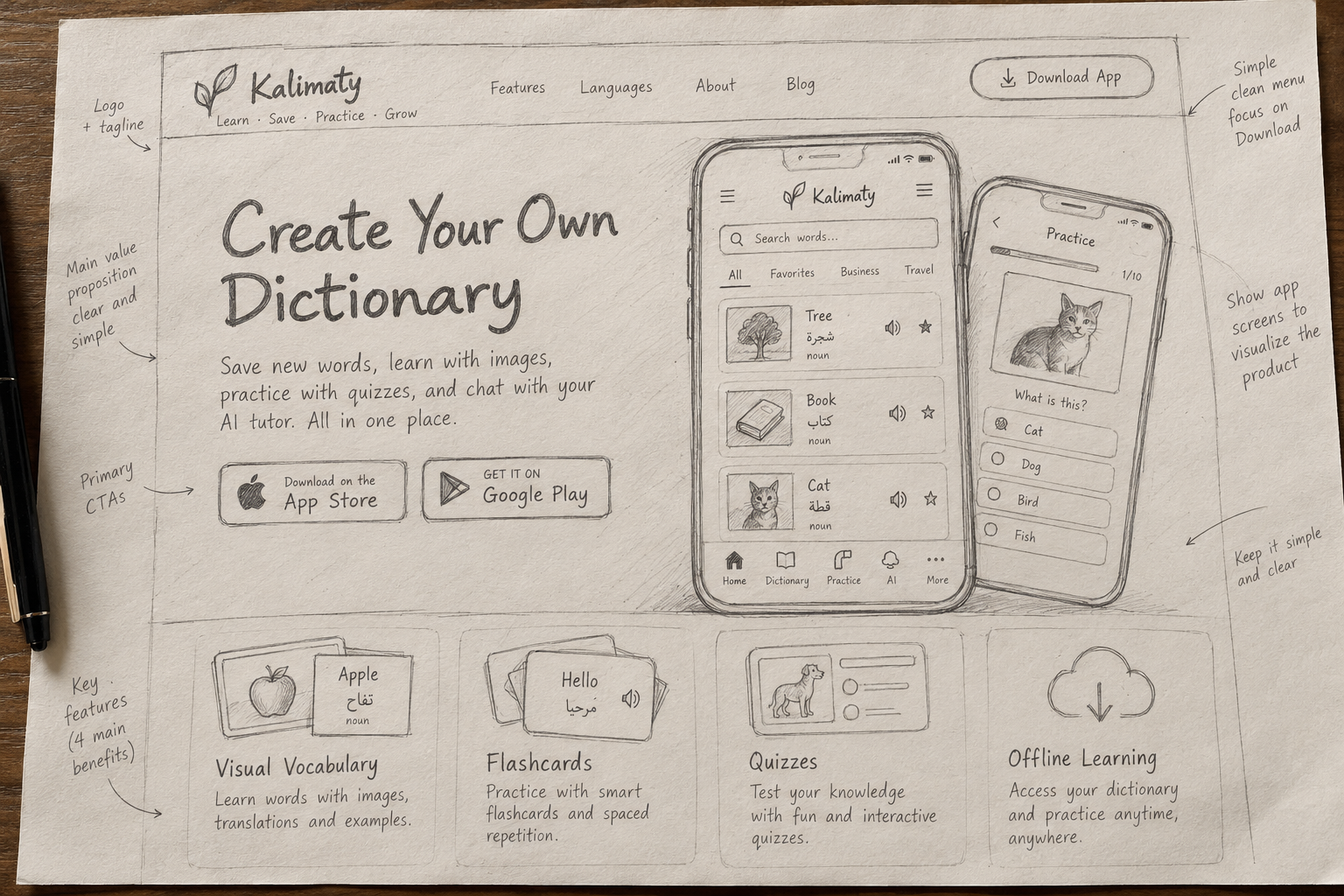
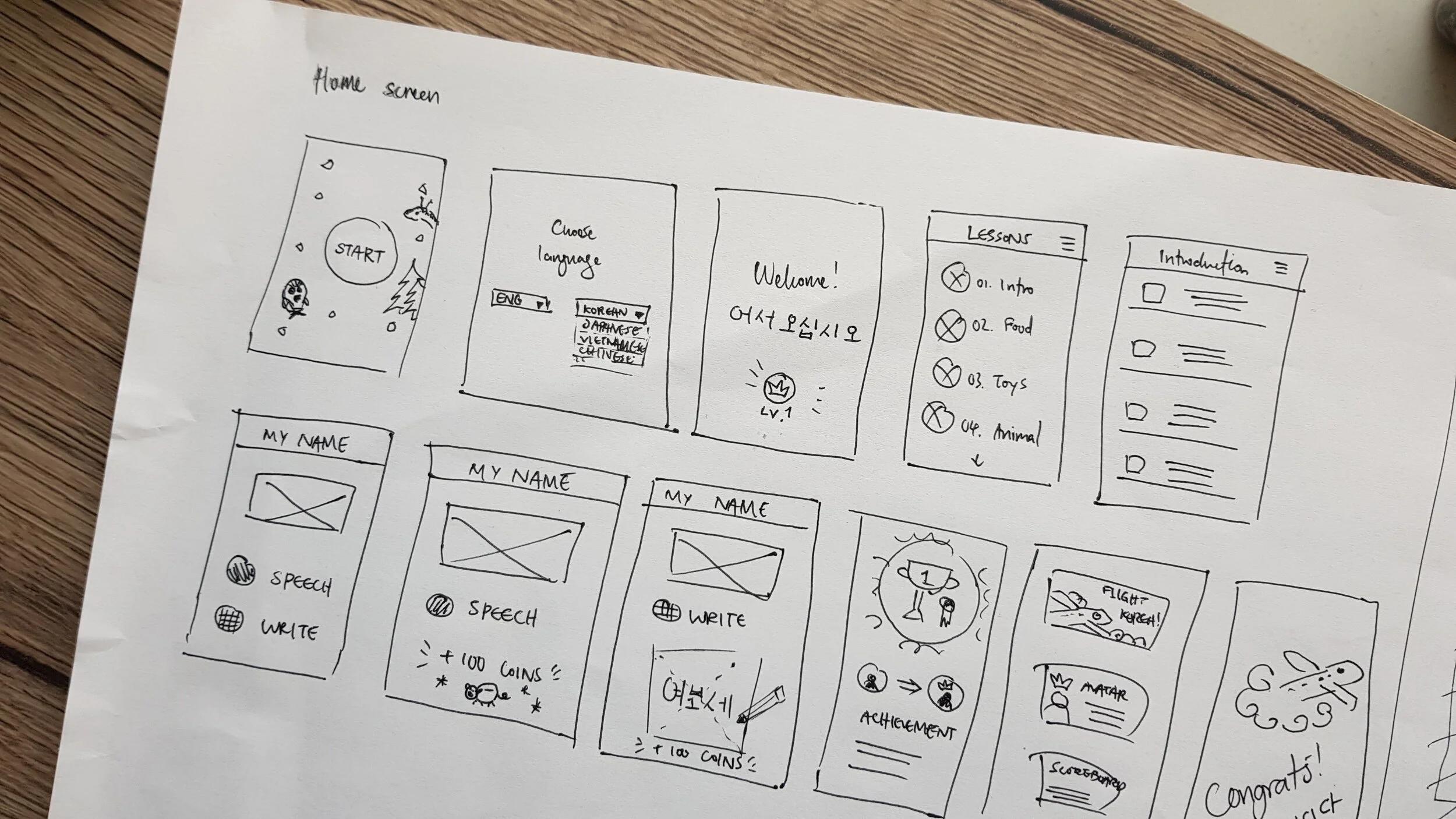
Sketch the page layouts, content hierarchy, key components, and user journeys on paper. Use these sketches to clarify the experience before moving into implementation.
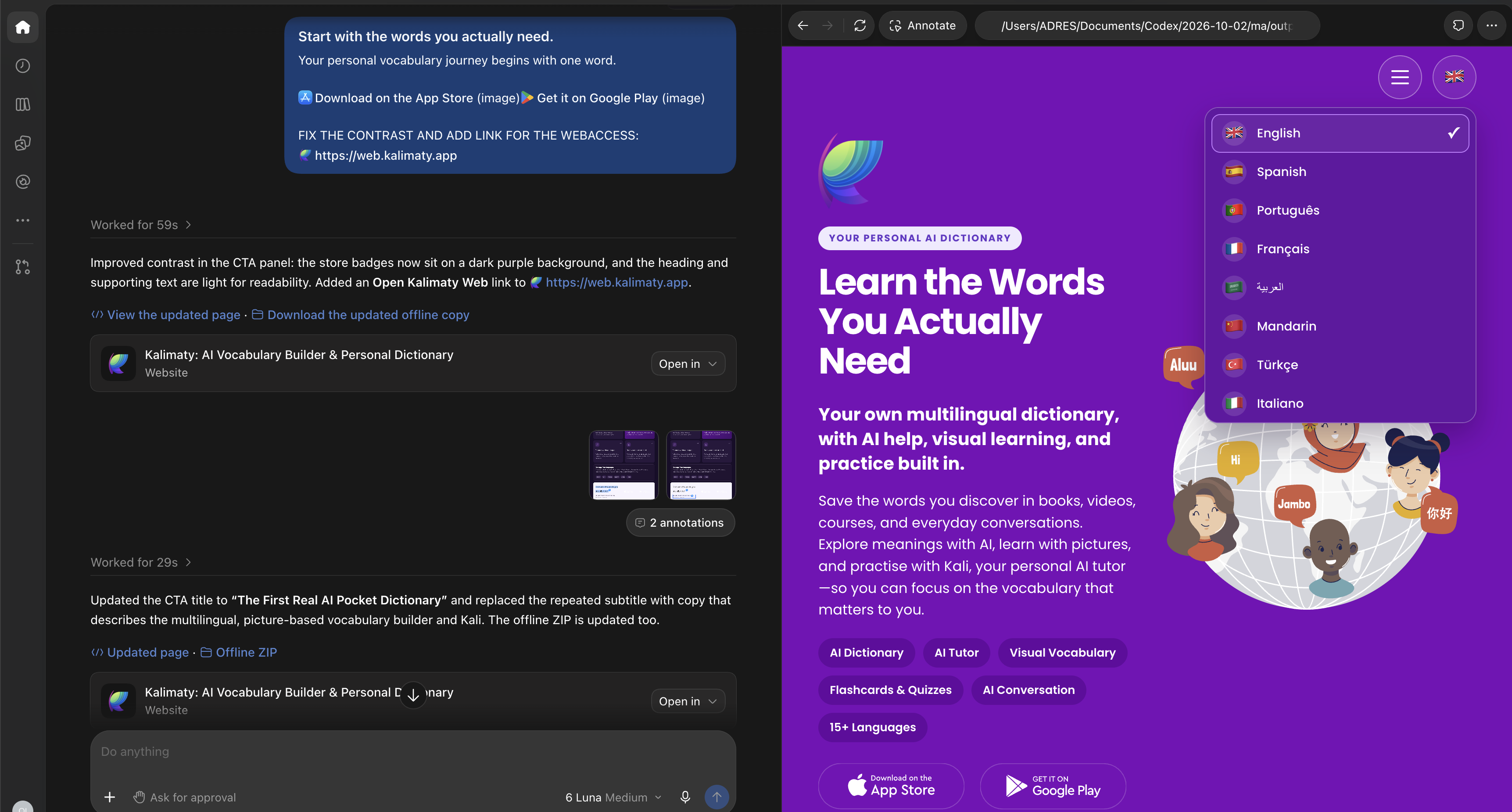
Write precise prompts, inspect the generated code, test the output, and make targeted iterations. AI accelerates implementation, while design judgment remains the quality filter.
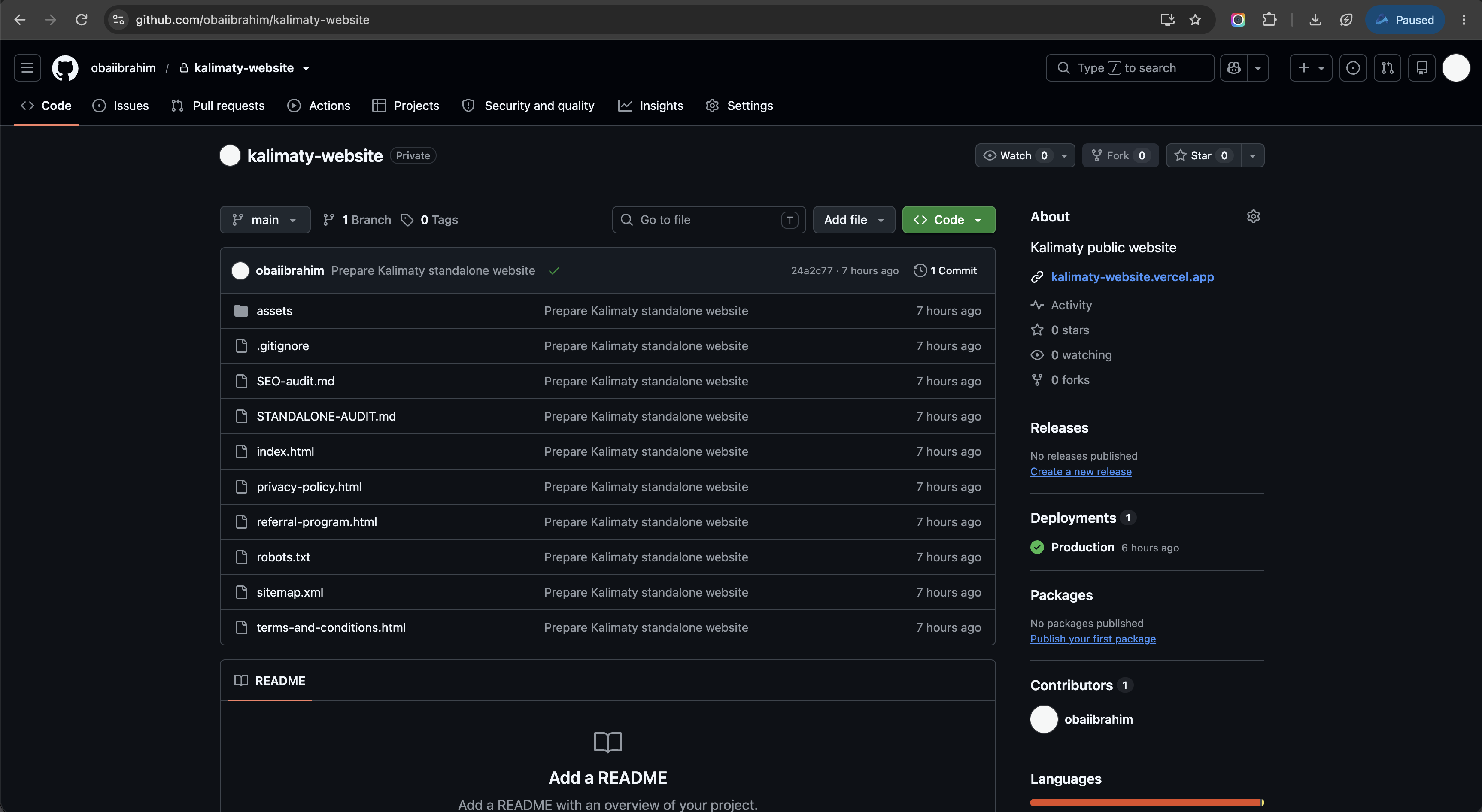
Use isolated branches for changes, meaningful commits for traceability, and merge only after the work is reviewed and ready to become part of the main product.
Use the GitHub-to-Vercel connection to turn accepted repository changes into deployments, making the production release part of the same workflow rather than a separate manual step.
Once live, the same loop can continue: identify an issue or opportunity, make the change, validate it, push the update, and release the next version.
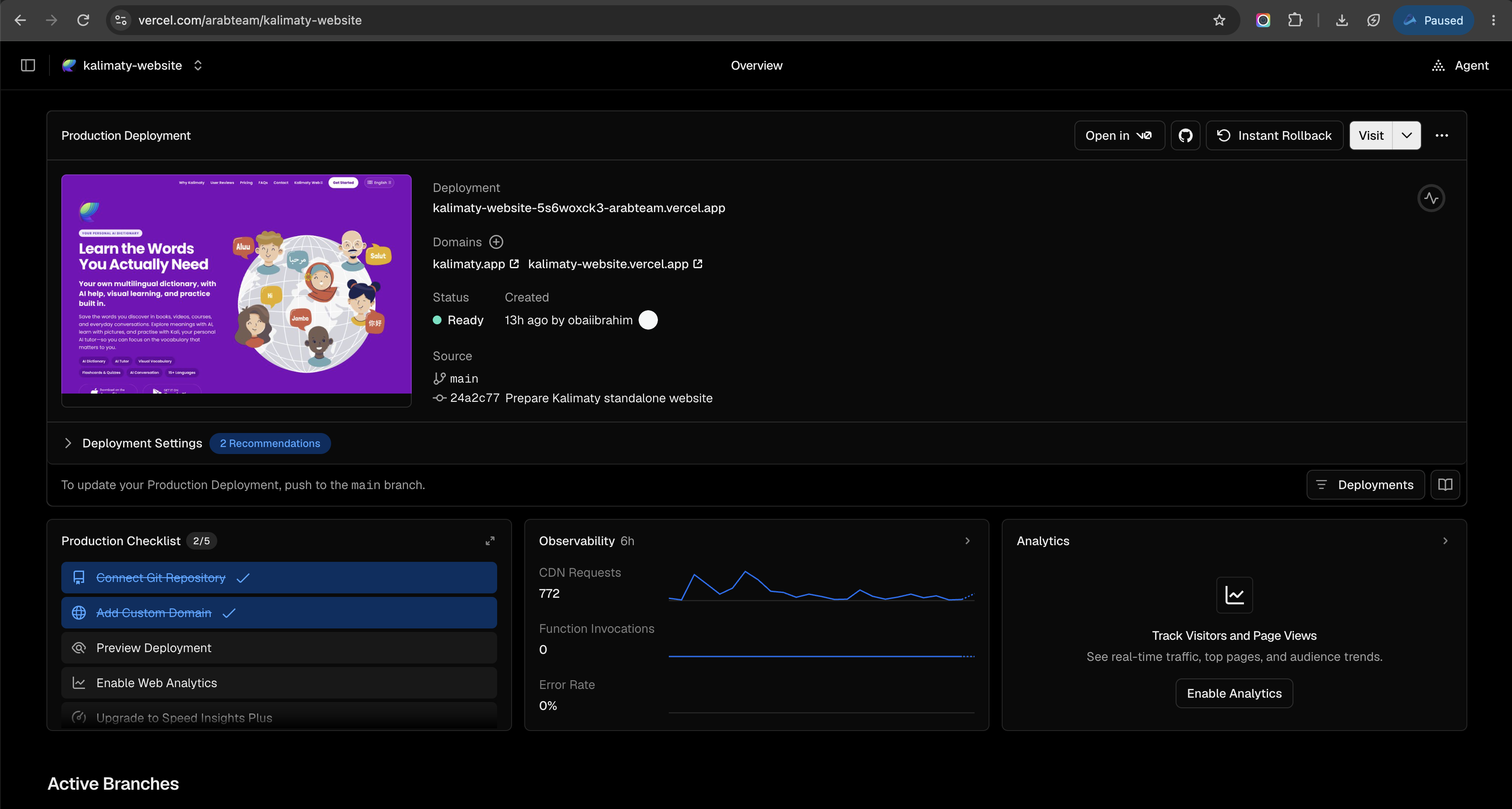
The strongest version of this case study should show the actual workflow, not just the finished website. These four visuals are the screenshots I recommend adding.
Kalimaty's website needs to explain the same product users encounter inside the app: a personal vocabulary system, contextual learning, practice tools, and an AI-supported learning experience.
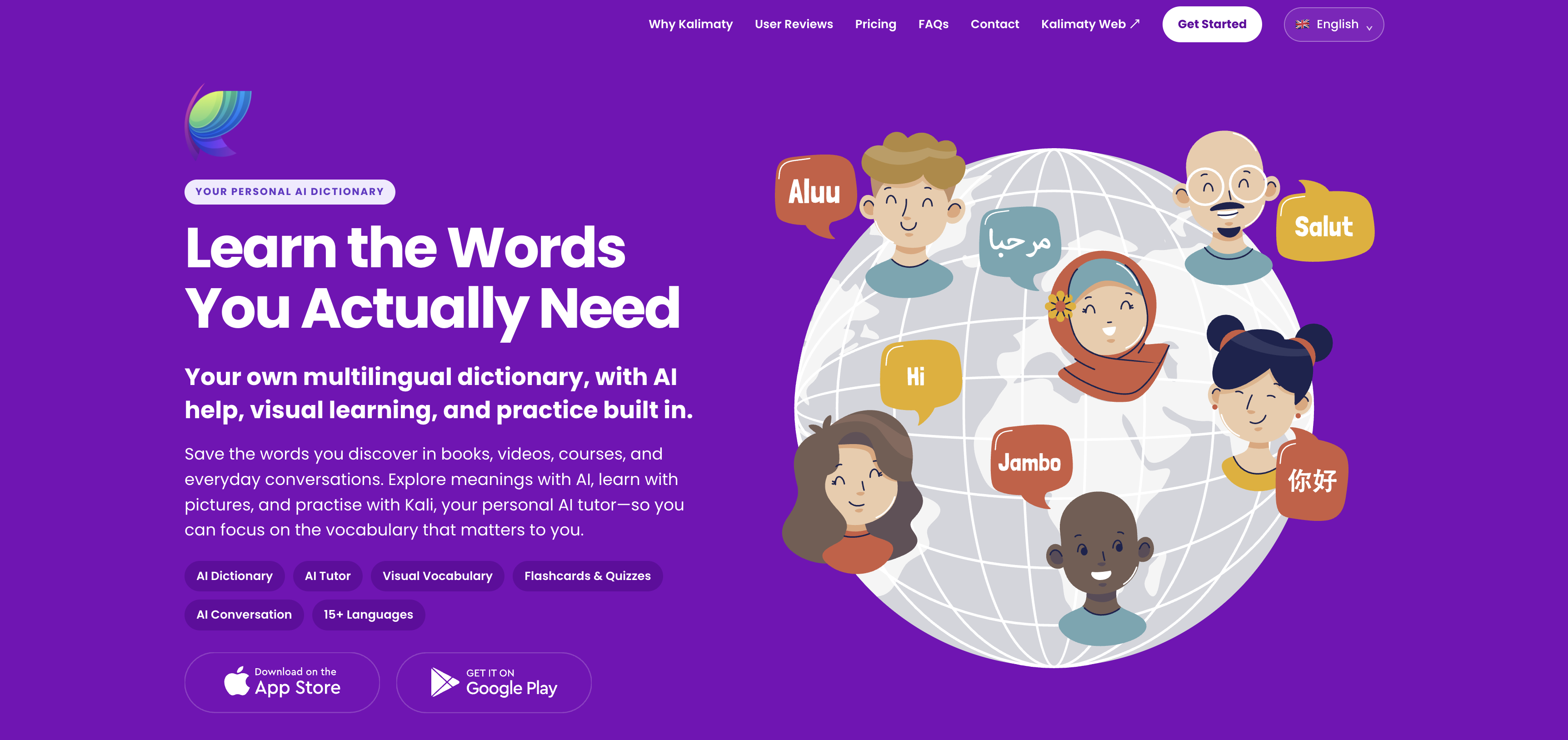
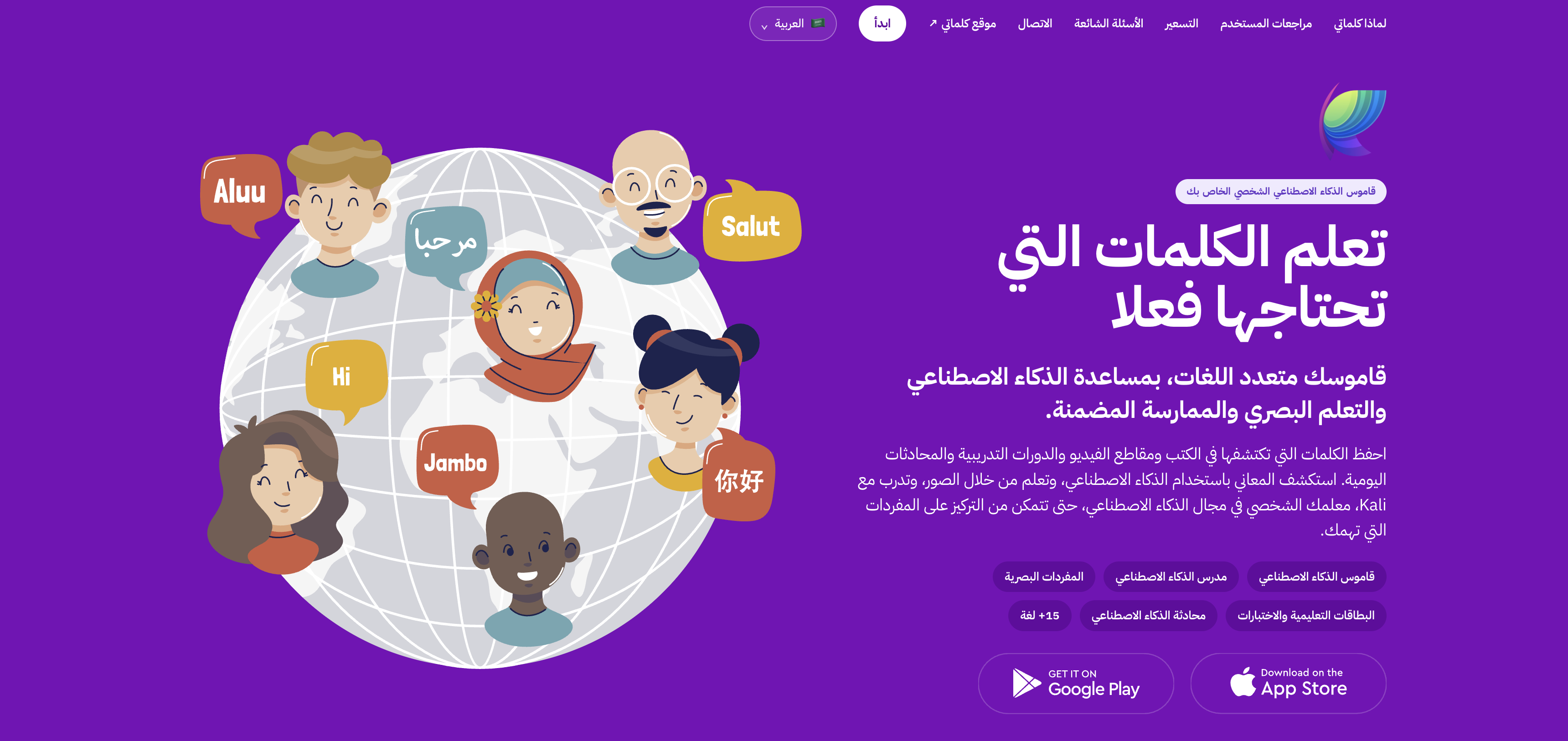
This project is useful in the portfolio because it shows a broader responsibility model than a traditional design-only case study.
Defined the website's role, information architecture, page hierarchy, user flows, content priorities, and overall experience.
Established the visual direction, responsive layout decisions, reusable patterns, typography, spacing, and component behavior.
Used Codex to accelerate implementation and iteration while personally reviewing, directing, testing, and refining the generated work.
Managed the project through GitHub and connected the repository to Vercel for preview and production deployment.
The primary outcome is not a single webpage. It is a working model for how a designer can use modern tools to own more of the product lifecycle - from design intent to implementation, version control, and production release.
The new Kalimaty website is deployed and available to real users.
AI assistance reduces the distance between a design decision and a working implementation.
GitHub provides a clear path for isolated changes, review, merging, and traceability.
Vercel turns repository updates into a consistent preview-to-production workflow.
The value of AI-assisted product development is not replacing design judgment. It is extending what a designer can personally take from concept to a live, maintainable product.